Last updated: 12 September 2026
A good live session can create hundreds or even thousands of interested viewers. The problem starts after the live ends. If customers cannot quickly find your products, WhatsApp number, order form or current promotion, that attention can disappear.
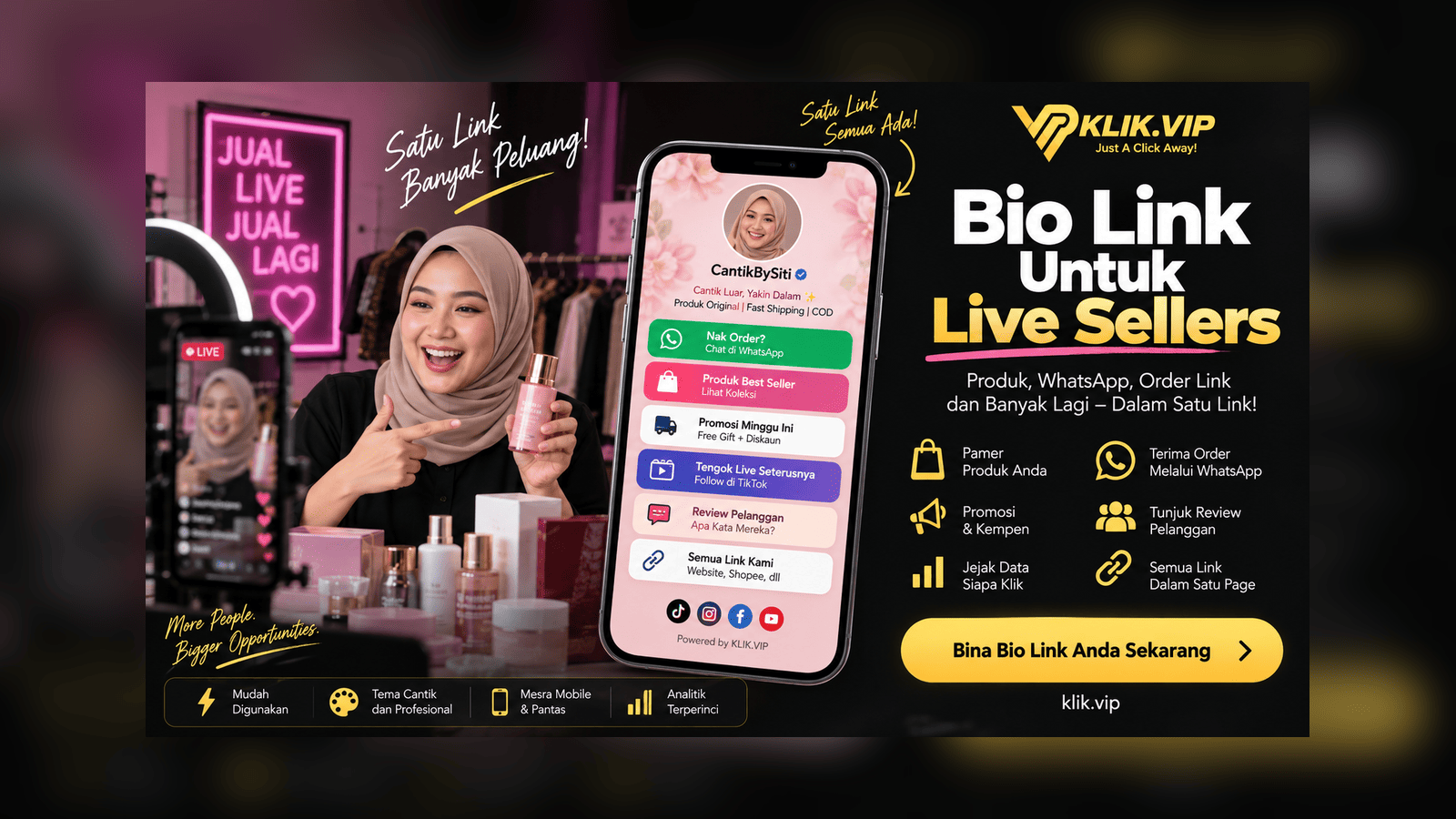
A bio link for live sellers gives your audience one simple place to continue the buying journey. With Klik VIP, you can organise your product links, WhatsApp, order forms, promotions, reviews, website and other important destinations on one mobile-friendly page.
↓
Profile Visit
↓
Klik VIP Bio Link
↓
Product / WhatsApp / Order Form / Promotion
↓
Enquiry or Purchase Journey
Why Live Sellers Need More Than One Link
During a live session, customers ask different questions. Some want the product link. Some want to know the price. Some want to order on WhatsApp. Others want to see reviews, shipping information or the full catalogue.
If you keep sending different URLs one by one, customers need to search through comments, direct messages or old posts. That adds friction.
A Bio Link acts like a simple mobile menu. You keep one main URL in your TikTok, Instagram, Facebook or other social profile, then organise all of the important customer actions inside that page.
A Simple Live-Selling Customer Journey
The objective is not to make the Bio Link complicated. It should help someone move from interest to action with as few steps as possible.
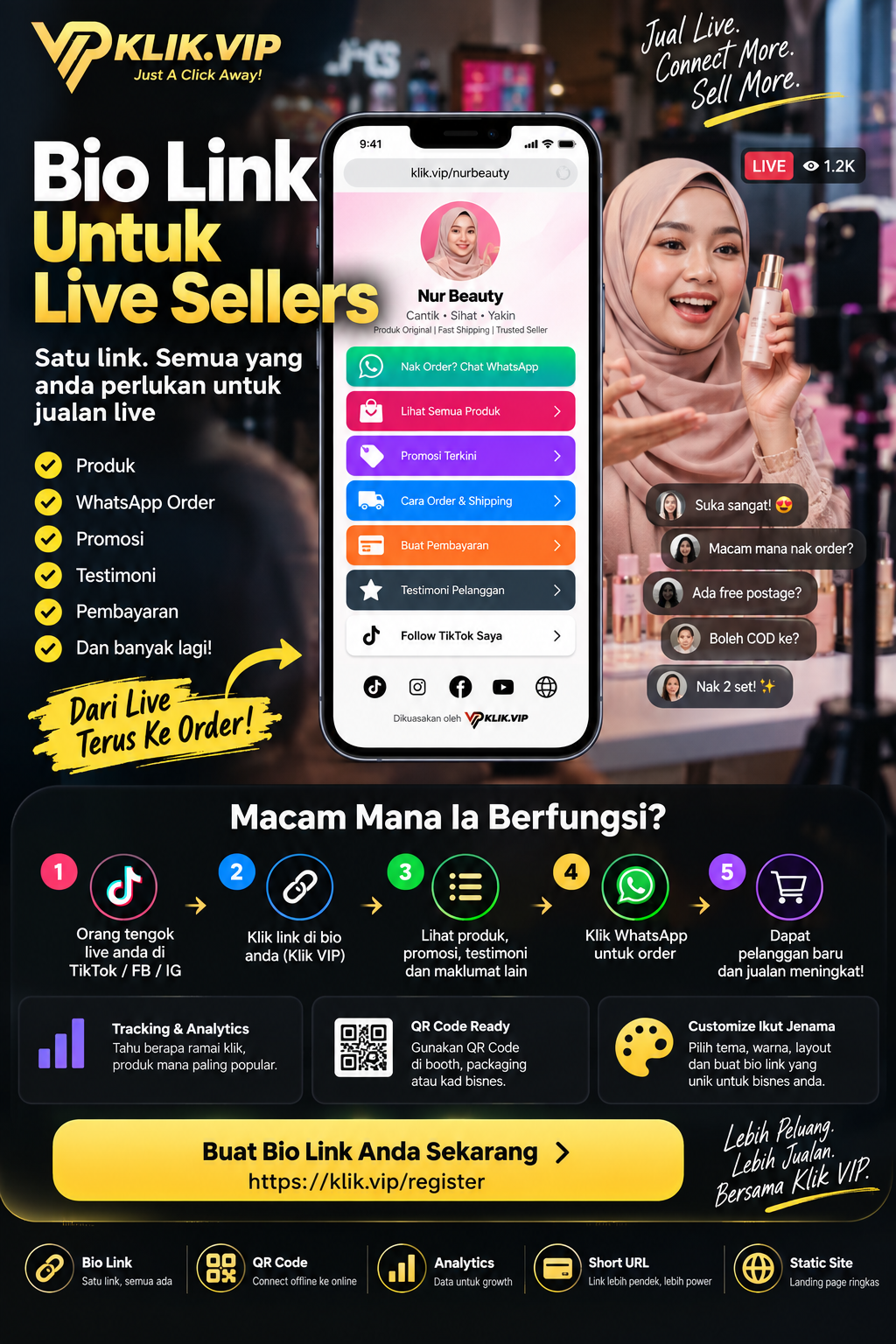
For example:
- A viewer discovers your live session.
- The viewer visits your profile.
- They tap your Klik VIP Bio Link.
- They choose the product, promotion, WhatsApp or order option they need.
- They continue to the relevant destination to enquire or buy.
What Should a Live Seller Put in a Bio Link?
Do not treat every button as equally important. Put the highest-intent customer actions first.
Send customers directly to the product you are currently demonstrating or promoting.
Use a normal Link block to send customers to your WhatsApp order or enquiry link.
Send customers to your existing order form when structured information is required.
Highlight a limited-time campaign, bundle or special offer while the campaign is active.
Give new visitors a quick path to social proof, customer feedback or testimonials.
Keep the full catalogue or main website available for customers who want to browse further.
Recommended Button Order for Live Sellers
For most live-selling campaigns, the first screen of the Bio Link should answer the questions customers are most likely to ask during or immediately after your live.
- Product Featured in This Live
- WhatsApp to Order / Ask a Question
- Current Promotion or Bundle
- Order Form or Checkout Destination
- Customer Reviews
- Full Catalogue / Website
- Social Media and future live schedule
If the live session is about one specific product, move that product to the top before you go live. When the campaign changes, update the button order instead of changing your main profile URL.
How to Set Up a Live Seller Bio Link With Klik VIP
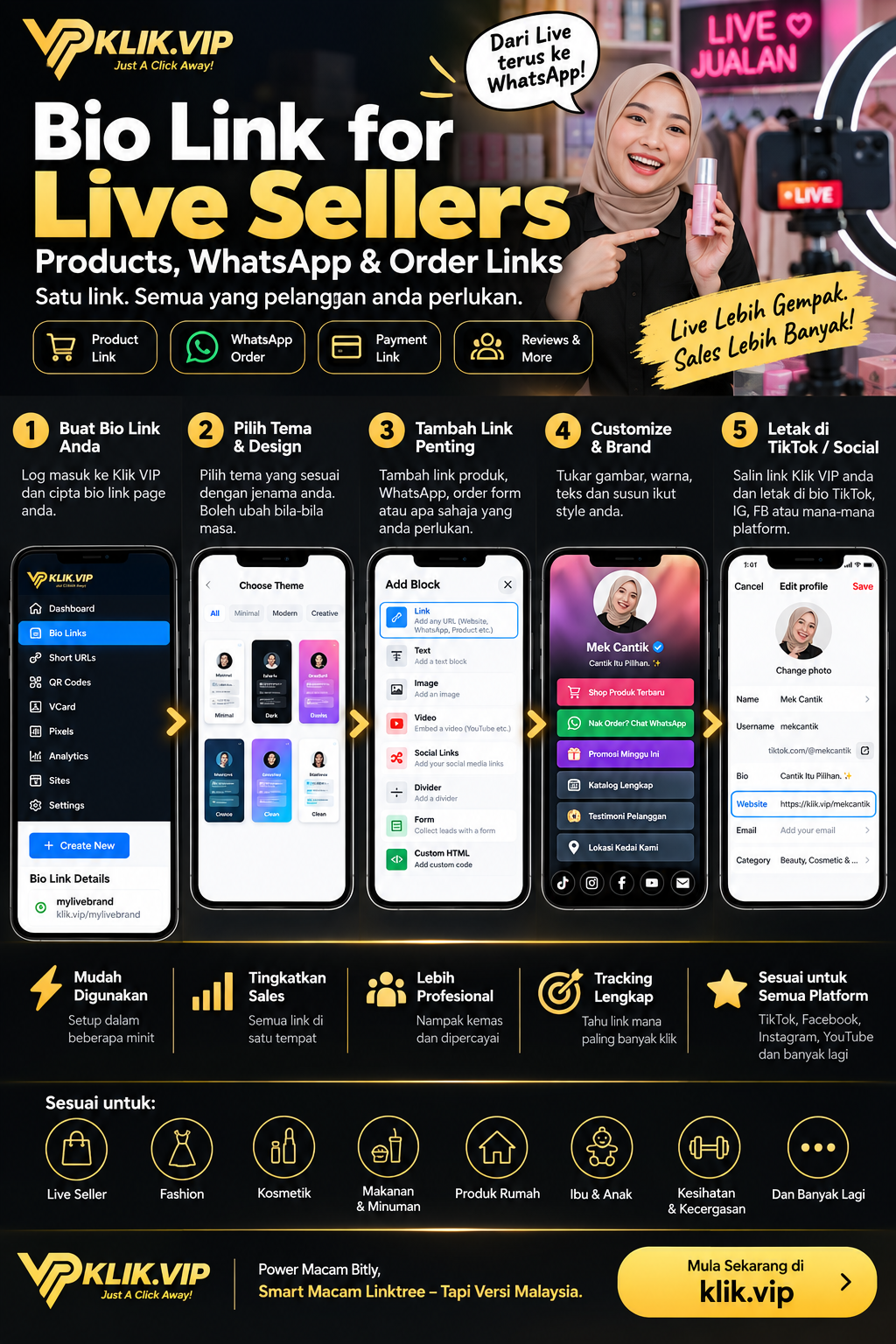
Step 1: Create Your Bio Link Page
Inside Klik VIP, create a new Bio Link page and choose a short URL that is easy to recognise.
Step 2: Choose a Theme
Pick a preset theme and then adjust the design so the page feels consistent with your store, product range or personal brand.
Step 3: Add Your Important Links
Use Klik VIP blocks based on the actions you actually need. A normal Link block can point to destinations such as WhatsApp, an e-commerce product page, your website, an external order form or another campaign page.
Depending on your use case, you can also add images, headings, social links, forms, videos, reviews and other supported content.
Step 4: Customise the Page
Adjust the presentation, button order, branding and visual settings so the important actions are easy to find on a phone.
Step 5: Put the Bio Link on Your Social Profiles
Once the page is ready, copy the final Klik VIP URL and add it to the website or link field supported by the social platform you use.
Use WhatsApp Without Making the Page Confusing
WhatsApp is useful for live sellers because customers often want to ask quick questions such as:
- Is this colour still available?
- Do you have my size?
- How much is postage?
- Can I order two units?
- Is cash on delivery available?
Instead of displaying a long raw WhatsApp URL, create a clear button such as:
💬 WhatsApp to Order
💬 Ask About This Product
💬 Check Stock on WhatsApp
💬 Chat With Our Team
You can learn how to build the destination itself in our guide: How to Create a WhatsApp Link for Your Business.
Build the Bio Link Around the Current Live Campaign
A permanent Bio Link does not mean the page has to stay static.
Before a major live session, you can move the relevant product or promotion higher on the page. After the campaign ends, replace it with the next priority.
This lets you keep one profile URL while changing what customers see inside the page.
↓
Different Live Campaigns
↓
Update Featured Links Inside Klik VIP
Track What Live Viewers Actually Click
One advantage of routing important campaign links through Klik VIP is that you can review link activity instead of relying only on comments or assumptions.
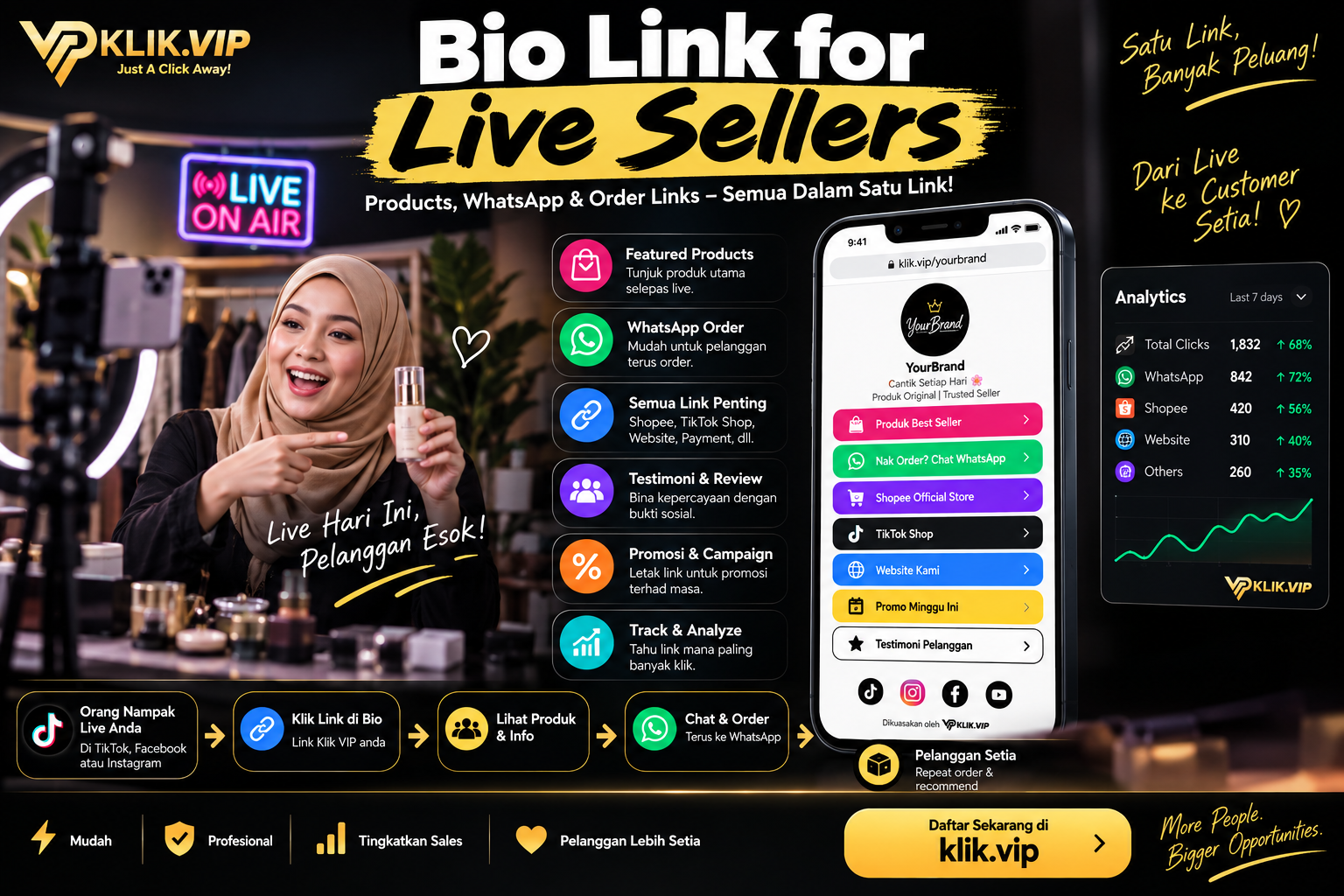
For example, you may find that customers click WhatsApp much more often than the full catalogue, or that one promotion receives significantly more interest than another.
Klik VIP analytics measure activity around the links you manage. A click does not automatically mean a completed order, so combine click data with your sales, order-form or e-commerce data when evaluating actual conversions.
For campaign attribution, you can also use tools such as UTM parameters or supported pixels where appropriate.
Understand how link activity is measured What Are UTM Parameters?
Organise campaign traffic more clearly
Use the Same Bio Link Beyond the Livestream
Your Bio Link does not stop working when the live ends.
You can place the same link in:
- TikTok profile
- Instagram profile
- Facebook page or posts
- WhatsApp profile or messages
- QR codes on packaging or booth materials
- Printed cards and offline marketing materials
If TikTok is one of your main traffic sources, see: How to Create a Link in Bio for TikTok Business.
Add a QR Code for Offline Customers
Live sellers often sell in more than one place. You may also have a booth, pop-up, parcel packaging, thank-you card or physical store.
A QR Code can connect those offline touchpoints back to your Bio Link. Instead of printing multiple social URLs, customers scan one code and choose what they need.
For more ideas, read: 15 QR Code Marketing Ideas for Small Businesses.
Common Live Seller Bio Link Mistakes
1. Putting Too Many Buttons at the Top
When every link looks equally important, the customer has to think harder. Prioritise the current product, WhatsApp and campaign action.
2. Leaving Old Promotions Live
Remove or move expired campaign links. A customer should not land on an old promotion after watching your latest live.
3. Using Vague Button Labels
“Click Here” gives very little context. Use labels such as Shop the Product From Tonight's Live or WhatsApp to Check Stock.
4. Sending Every Customer Straight to the Homepage
A viewer who just watched you demonstrate one product should not need to search your entire website again. Give them a direct route.
5. Assuming Clicks Equal Sales
Link analytics help you understand interest. Final orders should still be verified using the system where the transaction or order is completed.
Example Bio Link Structure for a Beauty Live Seller
Related Klik VIP Guides
Learn the basics of Bio Links Create a WhatsApp Link
Give customers a faster way to start a chat TikTok Link in Bio
Turn TikTok profile traffic into actions What Is Link Tracking?
Measure which links get attention
Final Thoughts
A successful live session should not end when you tap the stop button.
A Klik VIP Bio Link gives viewers a simple place to continue: find the product, ask a question on WhatsApp, open the order form, see the current promotion or browse your other offers. One profile link can support many different live campaigns without forcing you to constantly replace your main URL.
Follow the step-by-step dashboard instructions in the Klik VIP User Guide.
Create Your First Bio LinkBuild Your Live Seller Bio Link With Klik VIP
Put your products, WhatsApp, promotions, order links and other important customer actions in one place.
Create Your Klik VIP AccountFrequently Asked Questions
What is a Bio Link for live sellers?
It is a mobile-friendly page that collects important destinations such as products, WhatsApp, promotions, order forms and websites under one main URL.
Can I use Klik VIP for WhatsApp orders?
Yes. You can create a WhatsApp destination and add it to your Bio Link using a normal Link block. Customers tap the button and continue to WhatsApp.
Should I put every product in my Bio Link?
Usually, no. Prioritise the products and offers most relevant to the current campaign, then provide a catalogue or website link for customers who want to browse more.
Editorial note: Social-platform features and external checkout or messaging flows can change over time. Always test your Bio Link and destination links before a live campaign.