Last updated: 19 September 2026
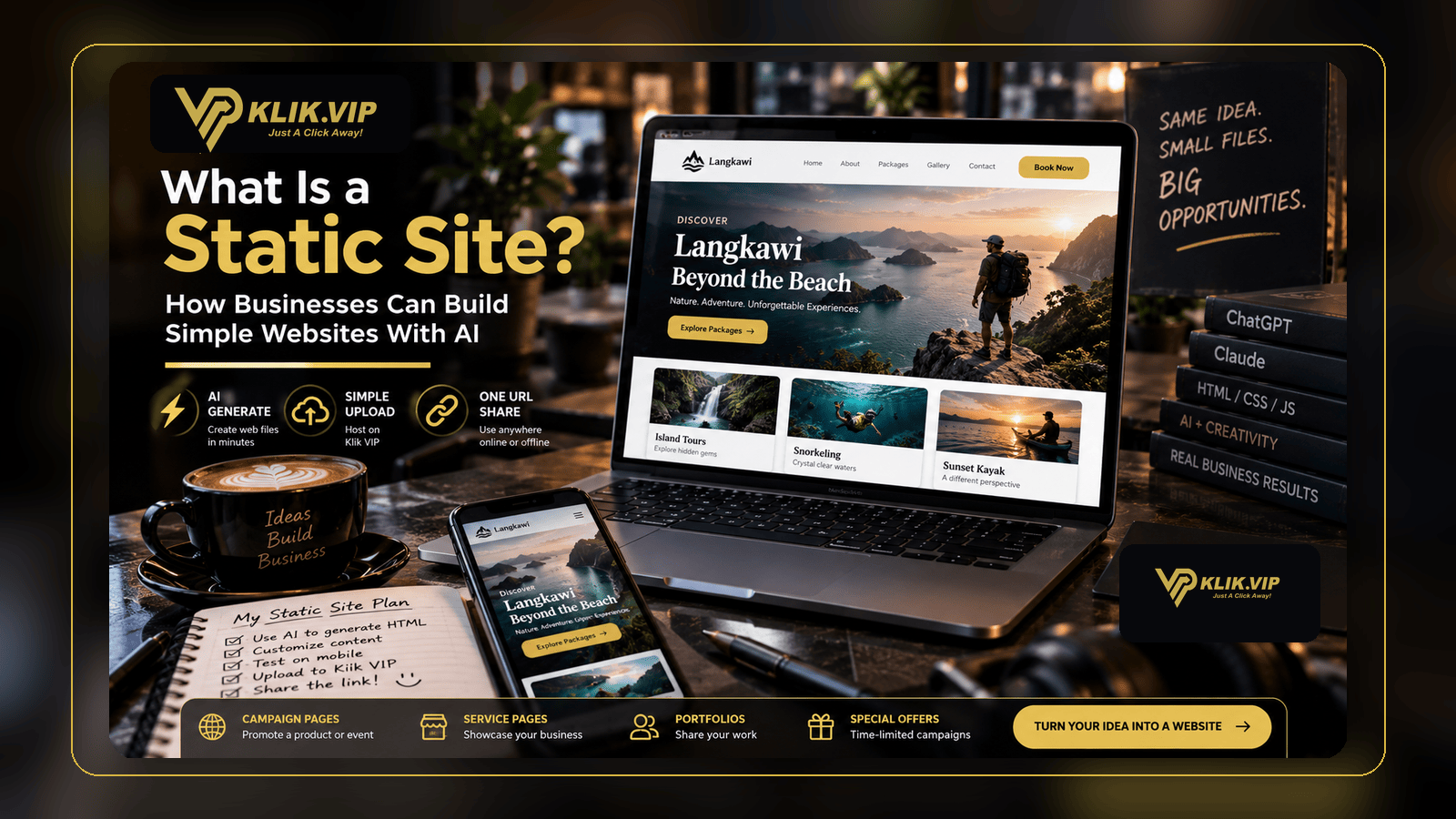
A static site is a website built from files such as HTML, CSS, JavaScript and supporting assets. For businesses, that can be a practical way to launch a focused campaign page, product page, event microsite, portfolio or simple landing page without building a full content-management system.
The idea has become more accessible because AI tools can help generate and refine web files. You can describe the page you want, ask an AI assistant to create the HTML, CSS and JavaScript, test the files, then publish the finished static site through a compatible host such as Klik VIP.
This article focuses on what static sites are, when businesses should use them and how AI can fit into the workflow. The exact Klik VIP upload and dashboard steps belong in the User Guide.
What Is a Static Site?
A static site is a website made from files that can be delivered directly to the visitor's browser.
A simple project might contain:
index.html
style.css
script.js
/assets/
    images/
    icons/
The HTML defines the page structure, CSS controls the visual design and JavaScript can add browser-side interactions.
Current Klik VIP product information describes Static Site hosting for static web files including HTML, CSS and JavaScript, together with supporting assets such as images and other media on eligible plans.
Static Does Not Mean Boring
The word static describes how the site is built and served. It does not mean the page has to look plain.
A static site can still include:
- responsive mobile layouts
- animations
- image galleries
- buttons and navigation
- interactive JavaScript
- embedded videos
- maps and third-party embeds
- WhatsApp links
- booking or external-form links
- campaign tracking links
The main limitation is that the files themselves do not provide a server-side application or database. If you need account logins, private databases, server-side payments or complex application logic, you normally need an external service, backend or a different web stack.
Why Businesses Use Static Sites
1. Campaign Landing Pages
A business can create one focused page for a promotion, product launch, event, workshop or seasonal campaign without changing the main company website.
2. Simple Product or Service Pages
If one product or service needs a clear explanation and one CTA, a small static page may be enough.
3. Event Microsites
A static site can present event information, speaker details, schedules, directions and links to registration or follow-up resources.
4. Digital Brochures and Portfolios
Instead of sharing only a PDF, you can turn the information into a responsive web experience with images, sections and clickable actions.
5. Temporary Campaign Experiences
Some pages only need to exist for a launch, exhibition, promotion or short-term project. A small static site can be easier to manage than adding temporary pages to a larger website.
Can You Build a Static Website With AI?
Yes. AI assistants can help generate, explain and refine website code.
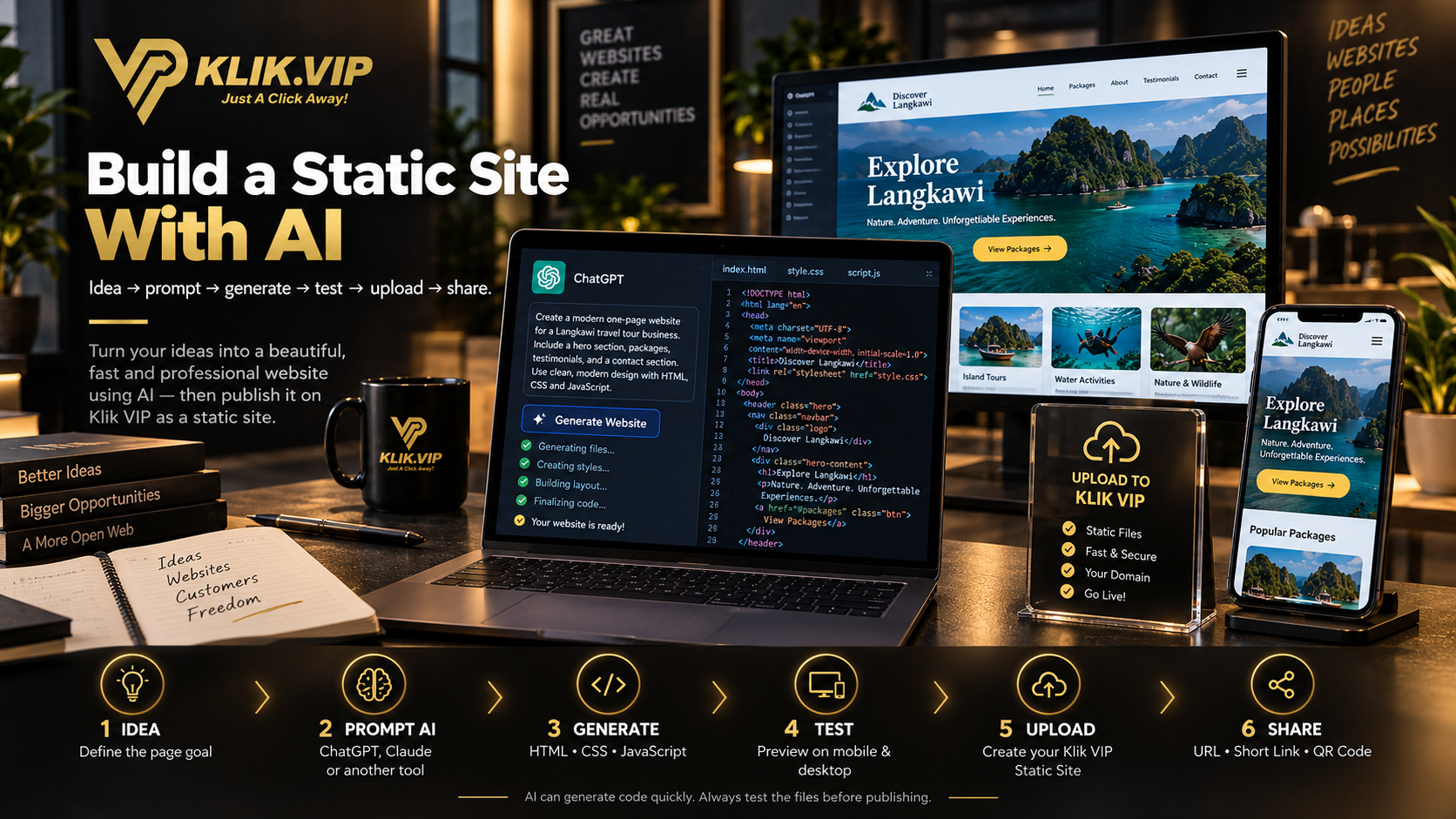
Tools such as ChatGPT, Claude and other coding assistants can be used to create HTML, CSS and JavaScript from a written brief. The exact interface and capabilities vary by product and plan, but the general workflow is straightforward:
- Describe the page you want.
- Ask the AI to generate the web files.
- Preview the result.
- Ask the AI to fix design or code problems.
- Test the page on mobile and desktop.
- Upload the final static files to your hosting platform.
That can reduce the barrier for an SME owner or marketer who has an idea but does not want to start from a blank code editor.
A Practical AI Prompt for a Business Static Site
A vague prompt usually produces a vague website. Give the AI enough information about the business, page goal, sections and technical requirements.
Create a responsive one-page static website for a Malaysian catering business.

Use:
- HTML
- CSS
- vanilla JavaScript

Create these files:
- index.html
- style.css
- script.js

Sections:
- Hero
- Catering packages
- Why choose us
- Testimonials
- WhatsApp CTA
- FAQ
- Contact section

Requirements:
- Mobile-first
- Fast and lightweight
- Professional modern design
- Use relative paths for assets
- No backend or database
- No API keys or secrets in the browser code
- Return each file separately so I can save and test it
You can then continue the conversation with instructions such as:
- “Make the hero more premium.”
- “Improve the mobile spacing.”
- “Change the CTA to WhatsApp.”
- “Reduce the JavaScript.”
- “Check the HTML for broken links.”
- “Make the page load without external frameworks.”
Important: Test AI-Generated Code Before Publishing
AI can create a strong first draft, but generated code should still be reviewed.
Before uploading a Static Site:
- open the page in a browser
- test it on phone and desktop widths
- click every button and link
- check image paths
- check spelling and business details
- verify WhatsApp, booking and contact destinations
- remove unused files
- check that no password, API key or private credential appears in public HTML or JavaScript
Anything shipped inside public HTML, CSS or JavaScript can potentially be inspected by visitors. Do not place private credentials, secret API keys or sensitive customer data inside the static files.
Static Site vs Bio Link vs Full Website
These are different tools for different jobs.
| Option | Best Fit | Typical Complexity |
|---|---|---|
| Bio Link | Several customer actions from one simple mobile page | Low |
| Static Site | Custom campaign page, product page, microsite or simple landing page | Low to medium |
| Full Website / Web App | Large content structure, CMS, accounts, databases or complex business systems | Medium to high |
If your customer simply needs several buttons to different destinations, a Bio Link may be faster.
If the campaign needs a completely customised page with its own design and content structure, a Static Site gives you more control.
If the project requires a content-management system, user accounts, complex ecommerce or server-side business logic, a full website or web application may be the more appropriate architecture.
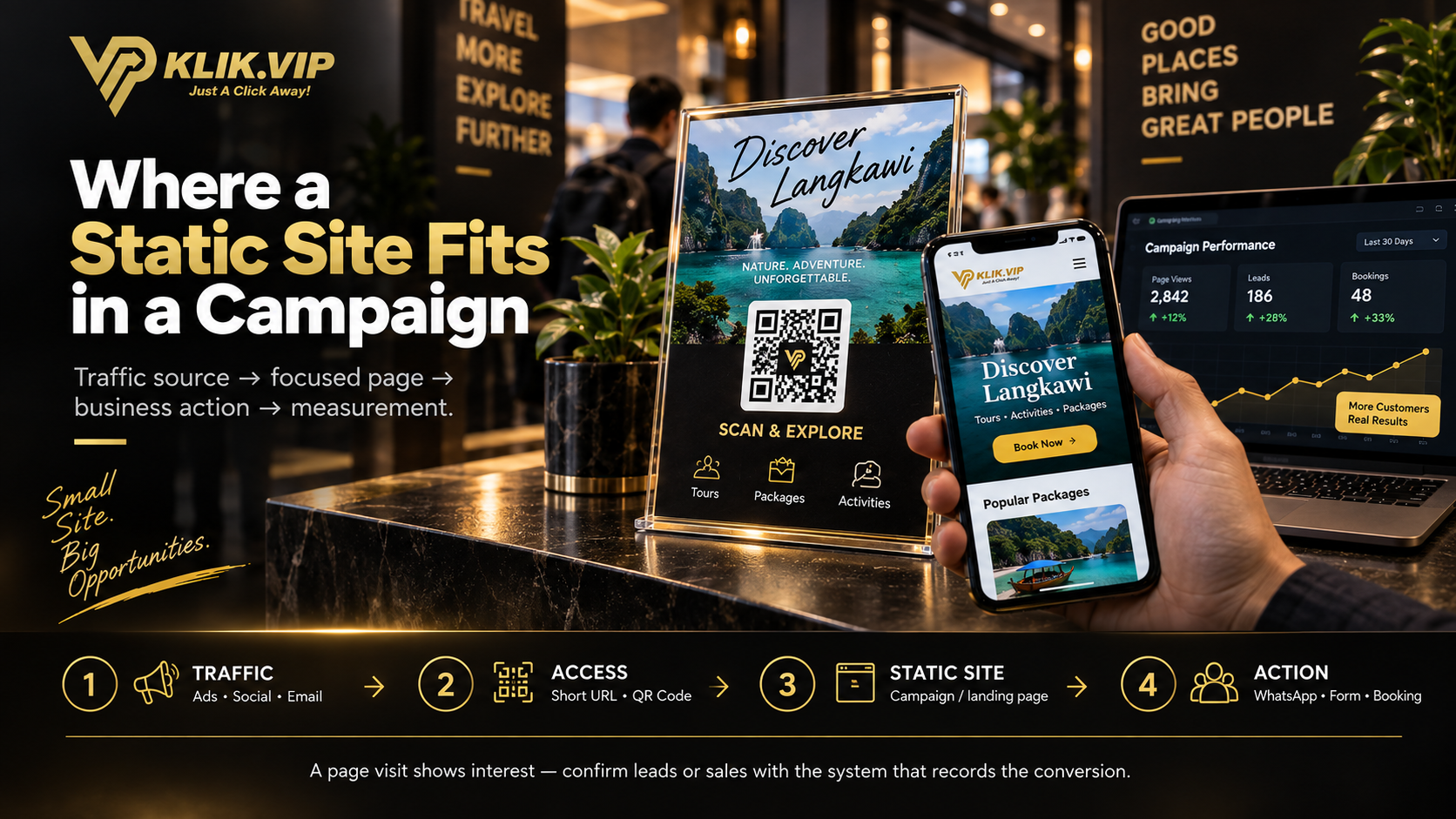
Static Site + Short URL + QR Code
A Static Site becomes more useful when it is easy to distribute.
For example:
A Short URL can give you a cleaner link to promote, while a QR Code can connect printed materials to the same page.
The page visit is only one part of the funnel. Use link tracking and your actual sales or lead systems to understand the final outcome.
Good Static Site Use Cases for SMEs
One focused product, offer and CTA.
Speaker details, schedule, venue and registration links.
Menu highlights, campaign offer, location and WhatsApp action.
A custom presentation of work, projects or case studies.
A more interactive alternative to sending only a PDF.
A focused message that sends the visitor to a form, booking page or WhatsApp.
When a Static Site Is Not the Best Choice
Use a different approach when the project genuinely needs more infrastructure.
A Static Site may not be enough by itself if you need:
- a full CMS for frequent non-technical publishing
- customer accounts or secure login areas
- a private database
- server-side application logic
- complex ecommerce operations
- private dashboards
- backend processing that cannot be handled by an external service
A simple page should remain simple. Do not force a Static Site to become an entire software platform.
How Klik VIP Fits Into the Workflow
Klik VIP gives eligible users a place to host static website files and then share the resulting site as part of the wider Klik VIP marketing ecosystem.
That means the workflow can look like:
- Create or generate the web files.
- Test them locally.
- Upload them as a Klik VIP Static Site.
- Publish the site.
- Share the destination through a direct URL, Short URL, Bio Link or QR Code where appropriate.
For the exact dashboard steps and current requirements, use the User Guide rather than relying on an older screenshot or blog tutorial.
Follow the current step-by-step Static Site instructions in the Klik VIP User Guide.
Create a Static SiteRelated Klik VIP Guides
Use one mobile page when customers need several different actions. What Is a Short URL?
Create a cleaner campaign route to your Static Site or other destination. What Is a QR Code?
Connect posters, packaging or event materials to your web page. What Is Link Tracking?
Understand what traffic data can and cannot tell you.
Frequently Asked Questions
Is a Static Site the same as a landing page?
Not exactly. “Static” describes how the website is built and served, while “landing page” describes its marketing purpose. A landing page can be built as a Static Site.
Can a Static Site use JavaScript?
Yes. Static sites can use browser-side JavaScript for interactions and interface behaviour. What they do not provide by themselves is a server-side application or private database.
Can ChatGPT or Claude create the website files?
AI assistants can help generate and refine HTML, CSS and JavaScript. Treat the result as code that still needs to be reviewed, tested and corrected before publishing.
Can a Static Site have a form?
The page can contain a form interface, but processing and storing submissions normally requires an external form service or backend. Do not assume static hosting alone will process private form data.
Can I upload AI-generated web files to Klik VIP?
If the files are compatible with Klik VIP's current Static Site requirements and your plan supports the feature, you can use AI-generated web files as a starting point. Test them first, then follow the current Klik VIP User Guide for the exact upload process.
Turn a Simple Idea Into a Real Web Page
Create your web files yourself or with AI, then use Klik VIP when you need a lightweight Static Site for a campaign, landing page or business idea.
Create Your Klik VIP Account