Quick summary
Create a vCard link in four steps: open vCard Links, fill in your information, customize the card, then open and share the finished vCard.
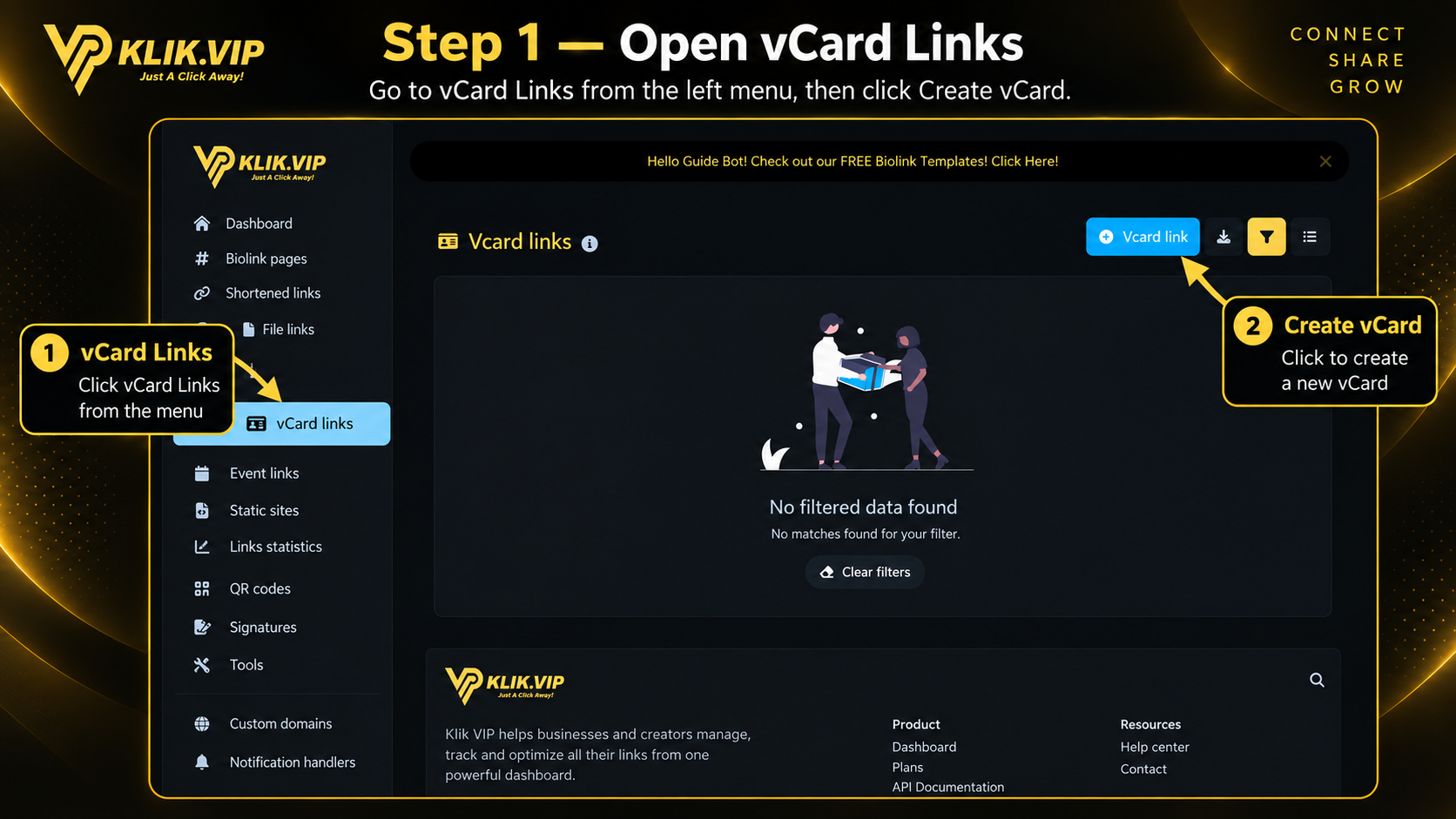
1. Open vCard Links
Open vCard Links from the left menu, then click Create vCard to begin.
Click or tap the image to view full size.
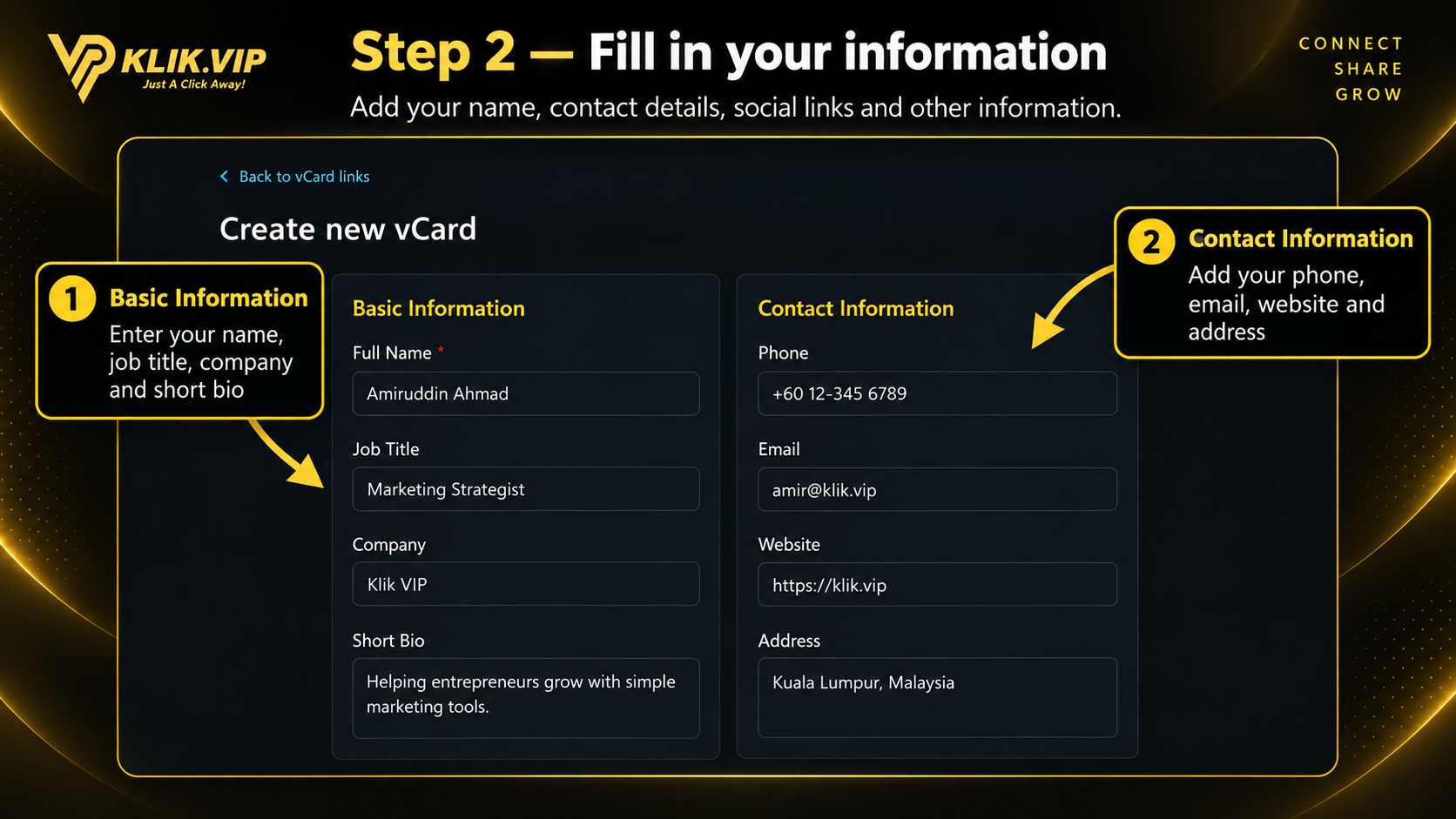
2. Fill in your information
Add the main details you want visitors to see on the vCard.
Basic information
Add your name, job title, company and short bio.
Contact information
Add phone, email, website and address details.
Click or tap the image to view full size.
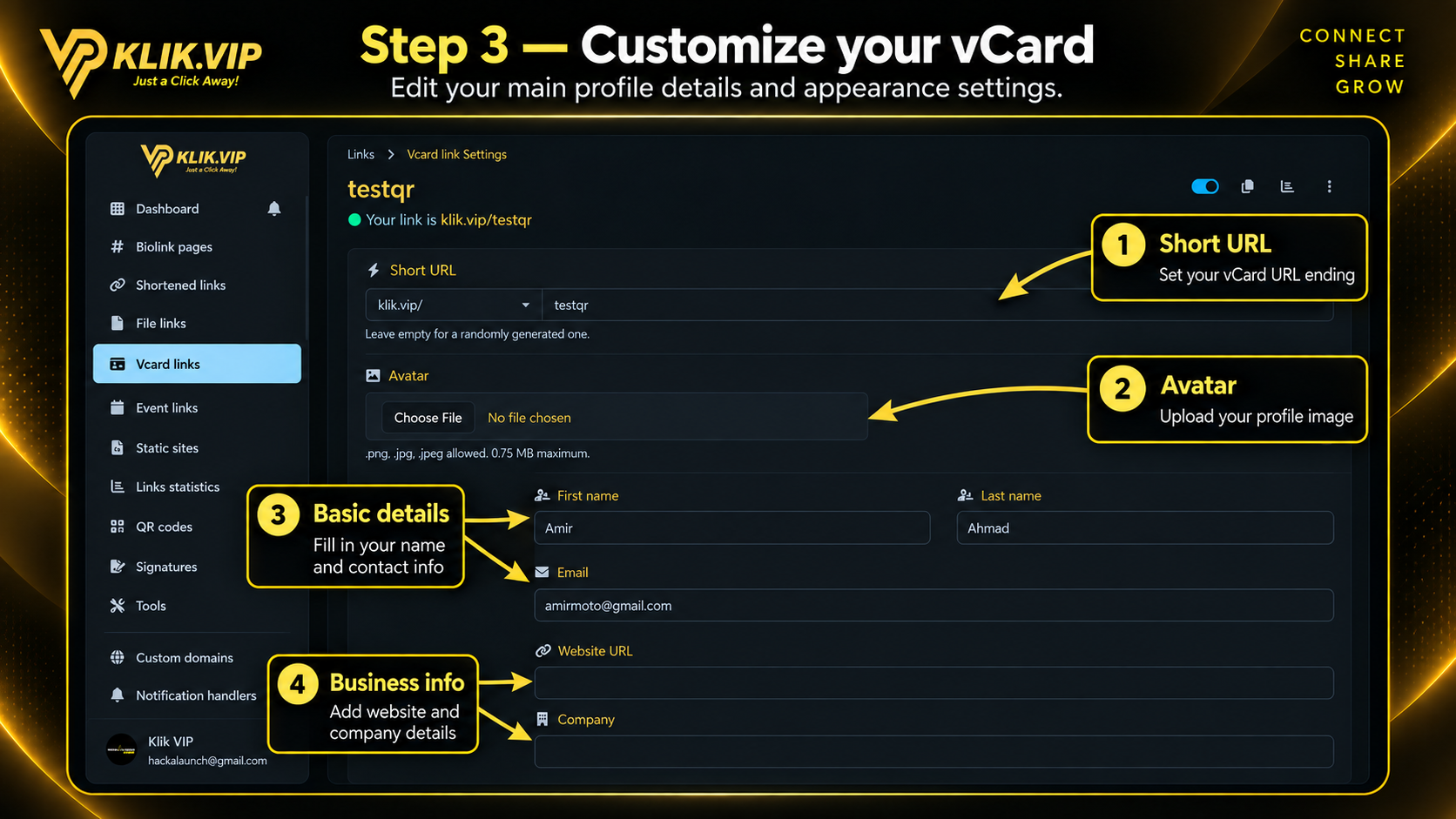
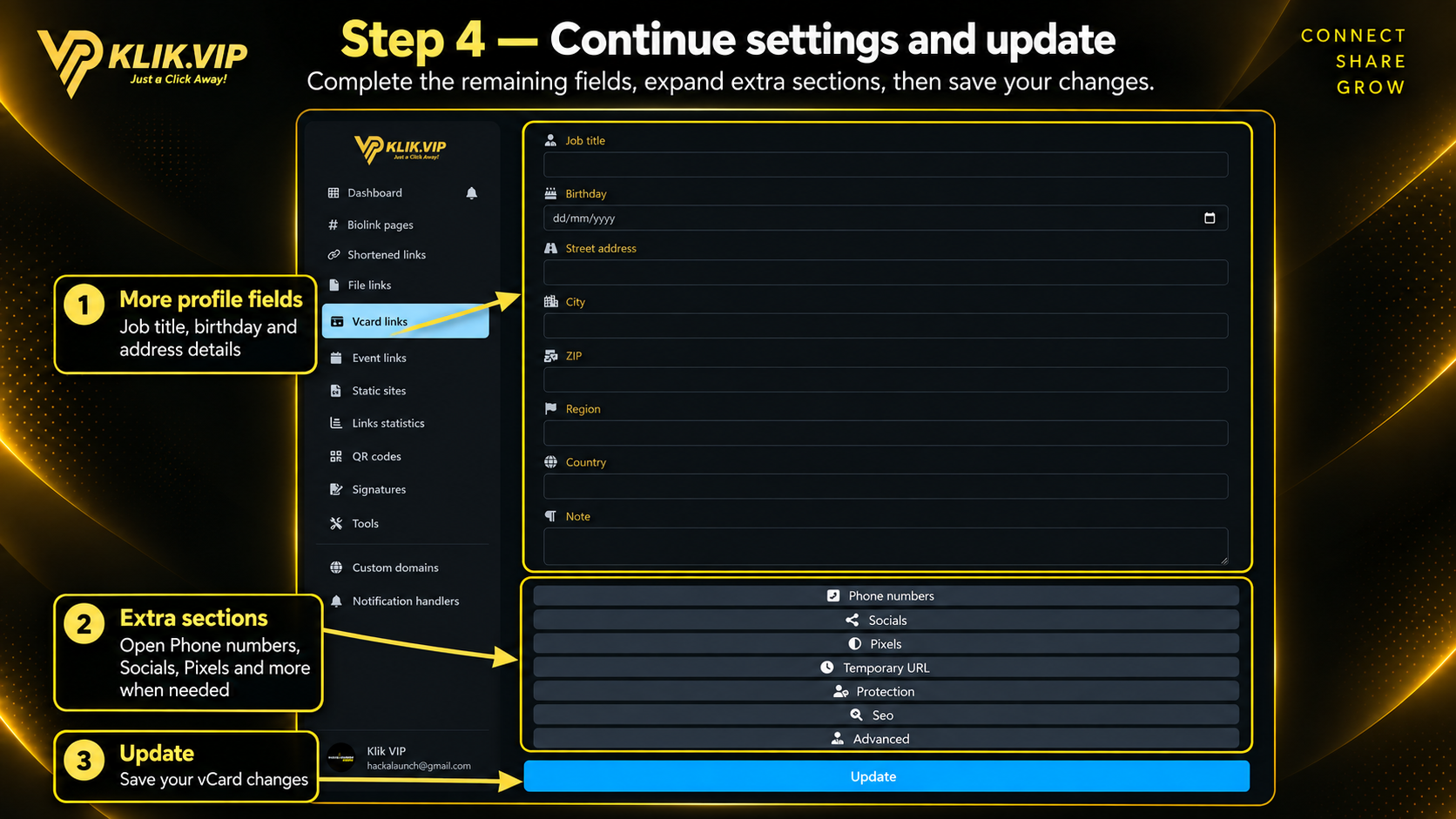
3. Customize and create
Customize the appearance and sharing details before creating the vCard.
Profile photo
Upload a clear profile image.
Theme / style
Choose the visual style for the vCard.
vCard URL
Set a short, memorable URL for sharing.
Social links
Add the social profiles you want displayed on the card.
Click or tap the image to view full size.
4. View and share your vCard
After creation, open the vCard link and test it before sharing it publicly.
Your vCard link
Copy or open the public vCard URL.
Live preview
Check how the card looks on a mobile screen.
Save Contact
Make sure visitors can easily save your contact details.
Share channels
Use WhatsApp, email, website and social links as needed.
Click or tap the image to view full size.
5. Tips
- Use a clear profile photo.
- Keep the contact details current.
- Use a short, brandable vCard URL.
- Test the public vCard on mobile before sharing it widely.
- Add only the social channels you actively use.
Plan availability: Feature availability and usage limits depend on your current Klik VIP plan. Check the Plan page for the latest limits.