What is a File Link?
A File Link gives an uploaded file its own shareable Klik VIP URL. It is useful when you want to distribute a document, image, archive or other supported file without sending the original file manually every time.
Share one URL
Give people a simple link instead of attaching the file repeatedly.
Choose your domain
Create the File Link using one of the domains available in your Klik VIP account.
Optional custom ending
Set your own short URL ending or leave the field empty for a randomly generated one.
More options after creation
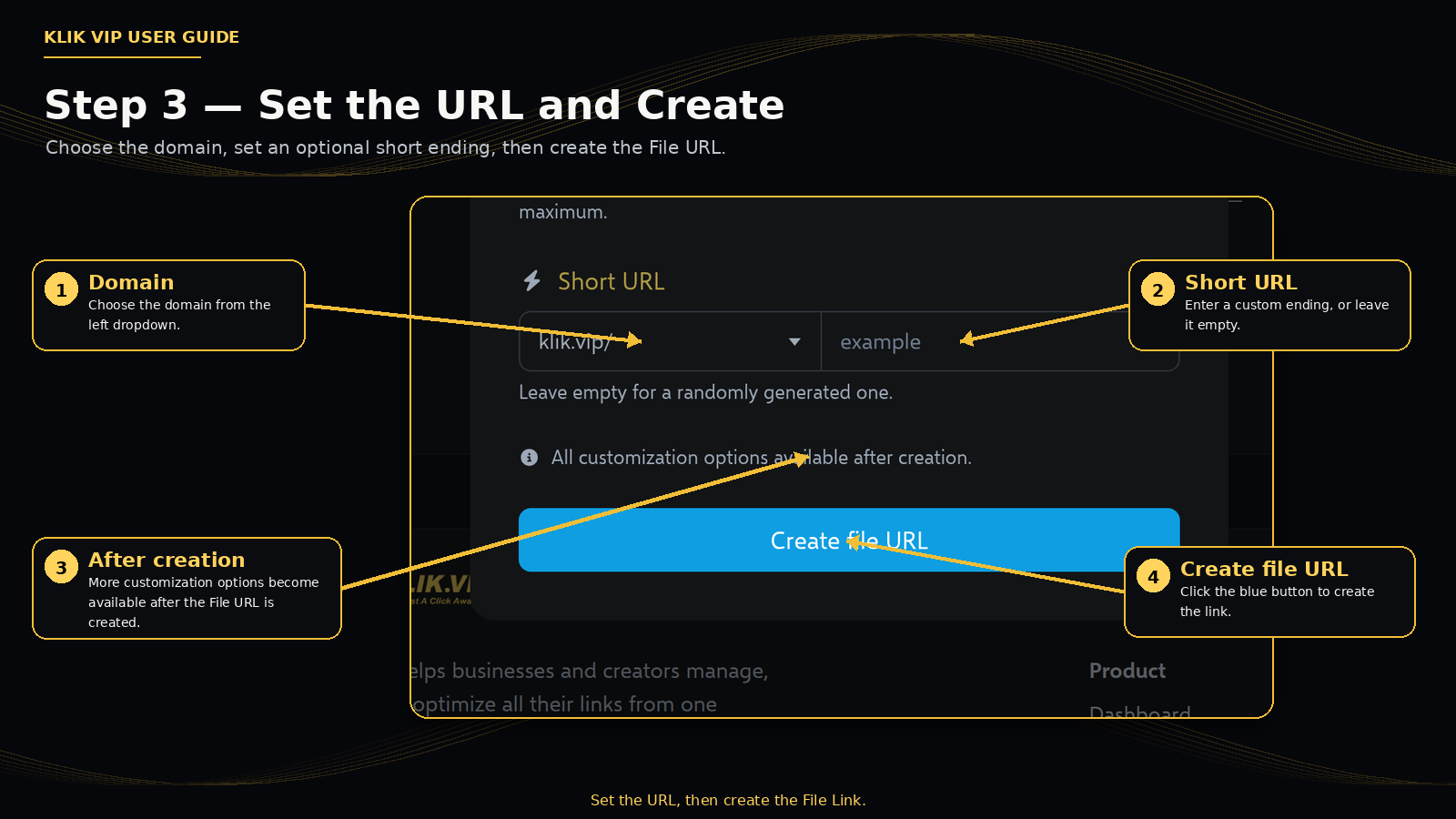
The creation dialog states that additional customization options become available after the File URL is created.
1. Open File Links
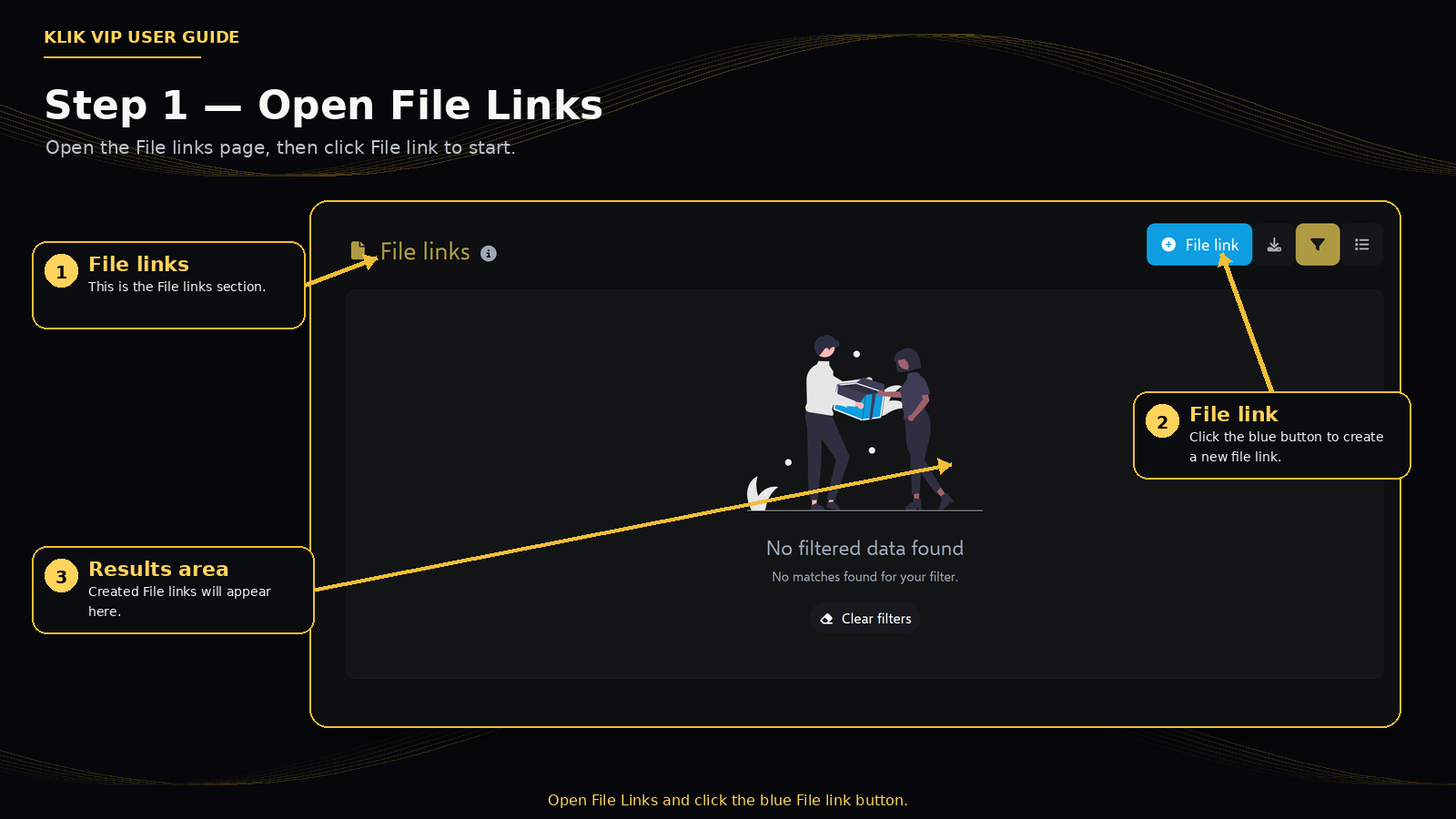
Open File links in Klik VIP. Click the blue File link button to start creating a new File Link.
2. Upload the file
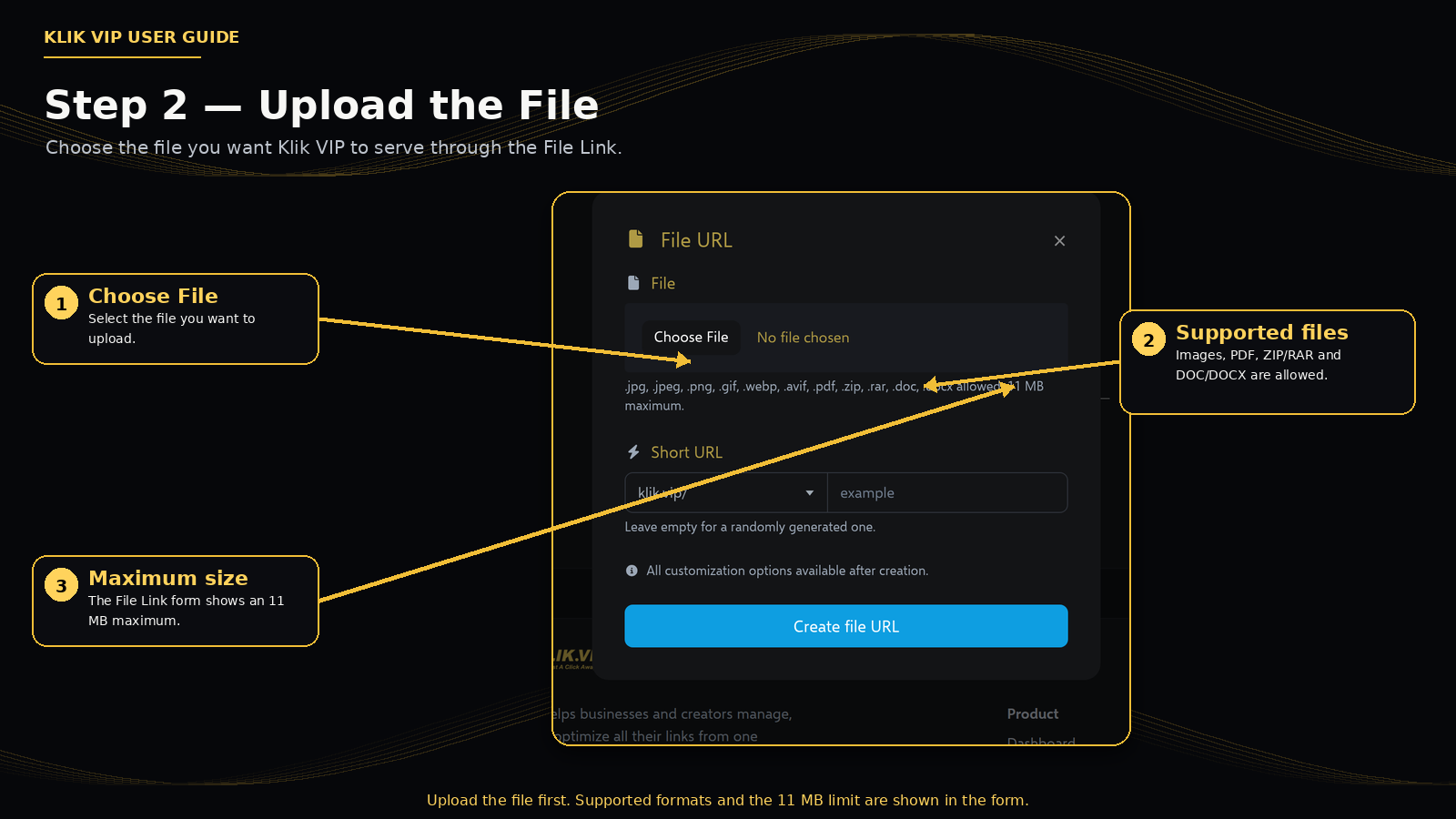
Click Choose File, then select the file you want to use for the File Link.
3. Set the URL and create
Choose the domain from the left side of the Short URL row. On the right, enter a custom URL ending if you want one. You can also leave that field empty for Klik VIP to generate one randomly.
When the file and URL are ready, click Create file URL.
4. Supported file types
The File Link upload form currently lists these supported formats:
Images
JPG, JPEG, PNG, GIF, WEBP and AVIF.
Documents
PDF, DOC and DOCX.
Archives
ZIP and RAR.
Maximum size
11 MB per file, based on the current upload form.
5. Tips & troubleshooting
Tips
- Use a clear file name before uploading it.
- Keep the file under the current 11 MB upload limit.
- Use a short URL ending that is easy to remember when you plan to share the link publicly.
- Double-check that the selected file is the correct version before creating the File URL.
Troubleshooting
- The file cannot be selected: confirm that its file type is included in the supported list.
- The upload is rejected: check whether the file exceeds 11 MB.
- You do not want to choose a custom URL ending: leave the field empty and let Klik VIP generate one randomly.