What is Account Payments?
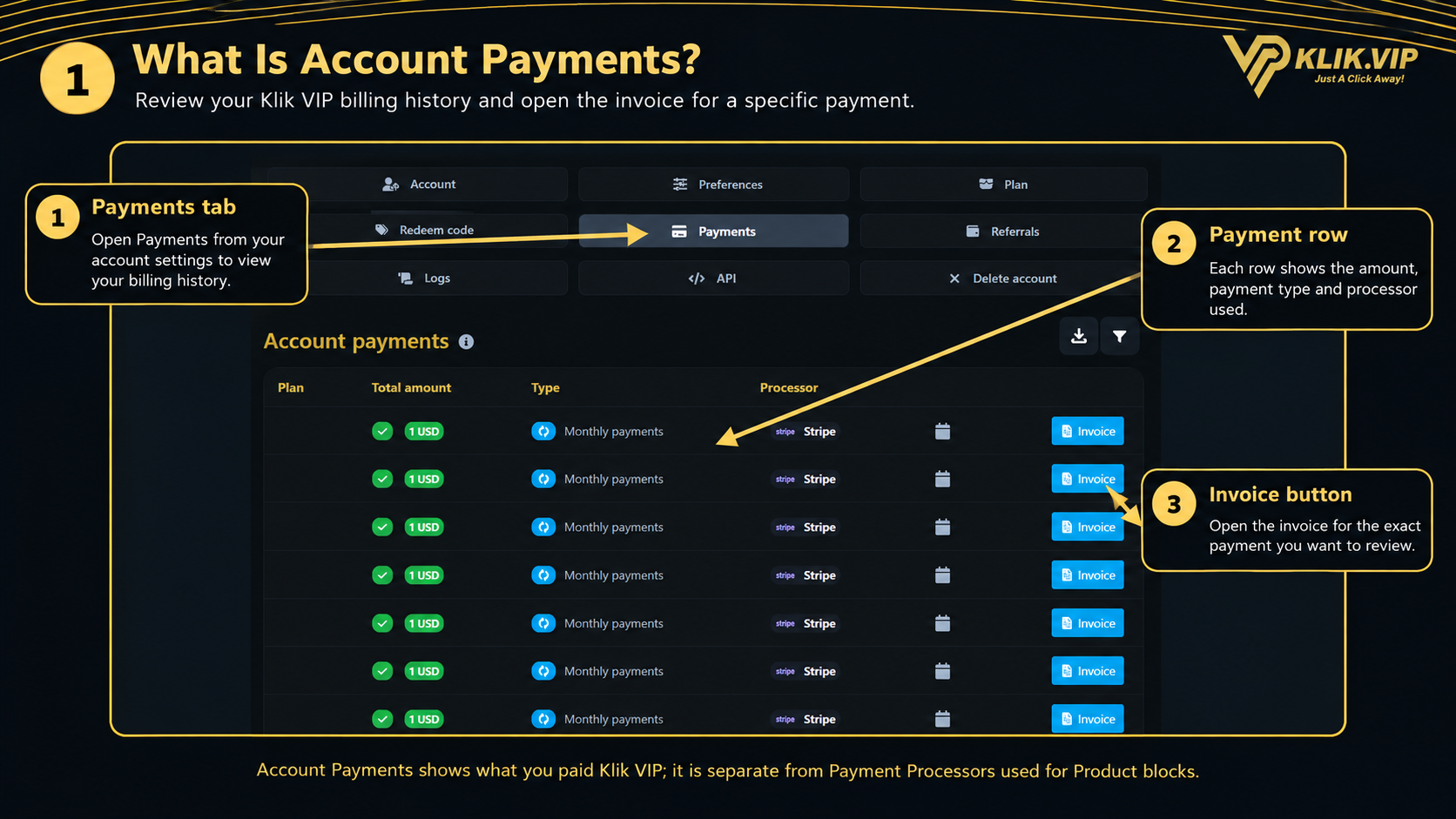
The Payments section under your Klik VIP account settings keeps a record of payments made for your own Klik VIP account or subscription.
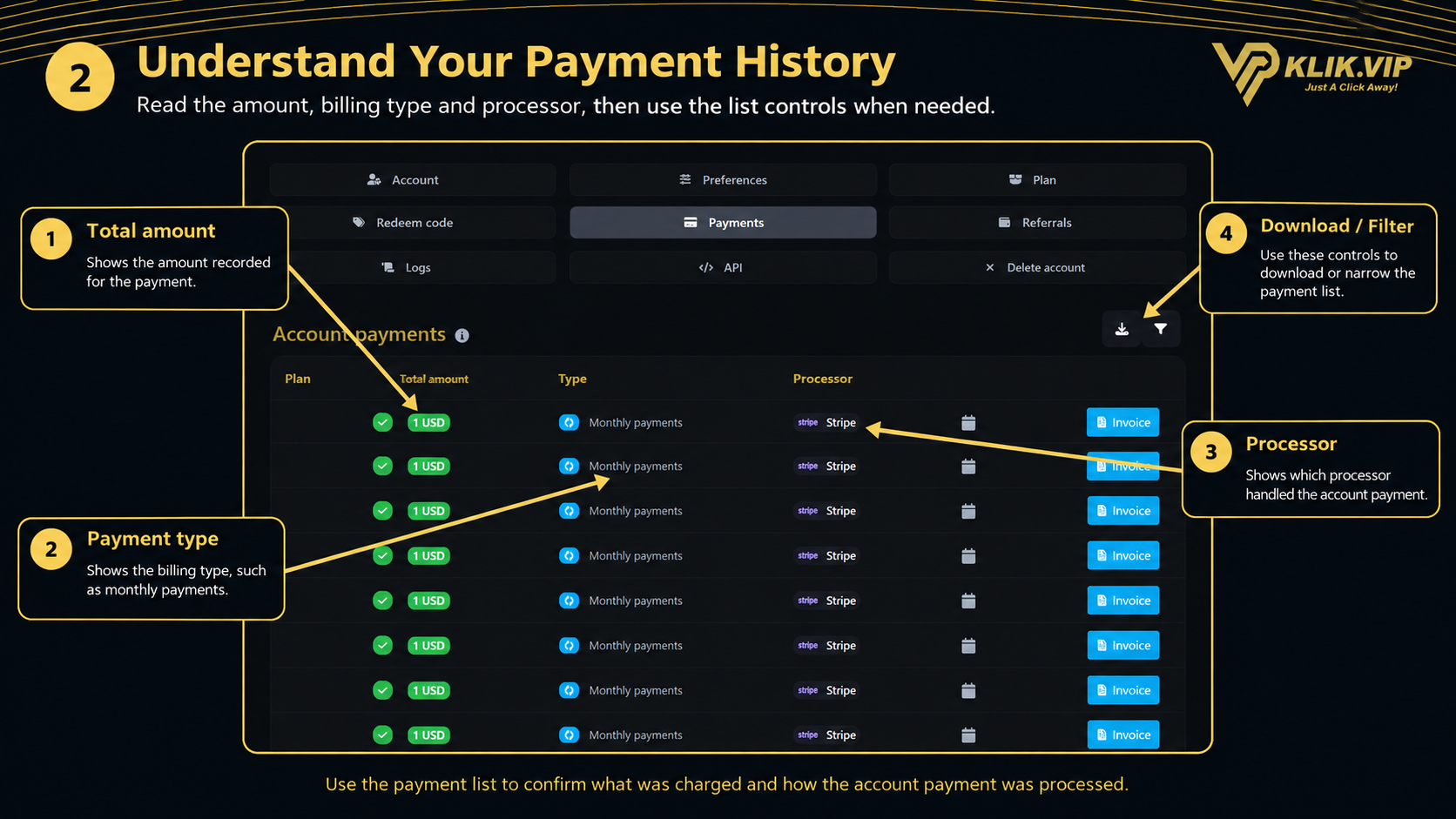
Payment amount
See the amount recorded for each account payment.
Payment type
See the billing type shown for the transaction, such as monthly payments.
Processor
See which payment processor handled the account payment.
Invoice
Open the invoice for a specific payment when you need the billing details.
1. Review Your Payment History
Open Payments from the account settings menu. The Account payments table displays the transactions recorded for your account.
- Total amount — shows the amount recorded for the payment.
- Type — shows the billing type associated with that transaction.
- Processor — shows which processor handled the payment.
- Invoice — opens the invoice for the selected payment.
2. Use Download and Filter
The Account payments page includes controls at the top-right of the payment list.
- Download — use the download control when you need a copy of the available payment data.
- Filter — use the filter control to narrow the payment list when required.
3. Open and Print an Invoice
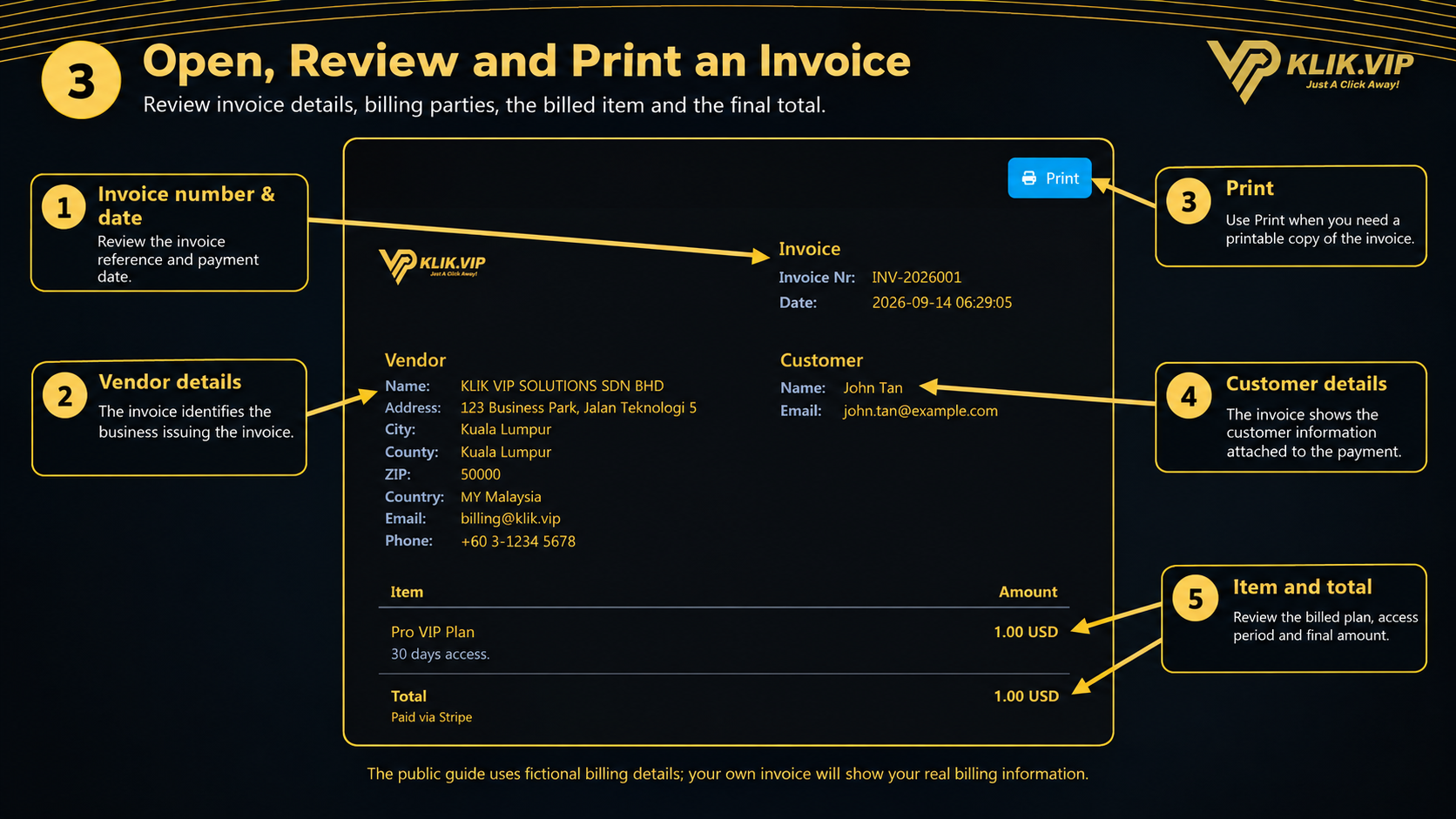
Click the Invoice button for the payment you want to inspect. The invoice page contains the billing details for that transaction.
- Invoice number and date — identifies the invoice and when the payment was recorded.
- Vendor details — shows the business issuing the invoice.
- Customer details — shows the customer information attached to the payment.
- Item and amount — shows the billed plan or item and its amount.
- Total — shows the final total for the invoice.
- Print — creates a printable version of the invoice.
Account Payments vs Payment Processors
These two areas have different purposes in Klik VIP.
Account Payments
Payments you make for your own Klik VIP plan or subscription.
Payment Processors
Payment gateway connections used by supported Klik VIP Product blocks to collect payments from your own customers.
4. Tips & Record Keeping
- Open the invoice when you need the full billing record for a transaction.
- Keep or print invoices when you need them for your business records.
- Check the processor shown if you are tracing a payment.
- Use Filter when the payment list becomes long.
- Avoid sharing screenshots that expose real customer or billing information.