What are Notification Handlers?
Notification Handlers are reusable notification destinations inside Klik VIP. Instead of entering the same destination details repeatedly, you can create a handler once and reuse it wherever Klik VIP supports Notification Handlers.
Send notifications to a verified email address.
Webhook-based services
Connect services such as Webhook, Slack, Discord, Microsoft Teams and Google Chat using the required webhook URL.
Telegram
Use a Telegram bot API Token together with the destination Chat ID.
Other supported types
The current interface also shows X tweet, Internal notification and Push notification.
1. Open Notification Handlers
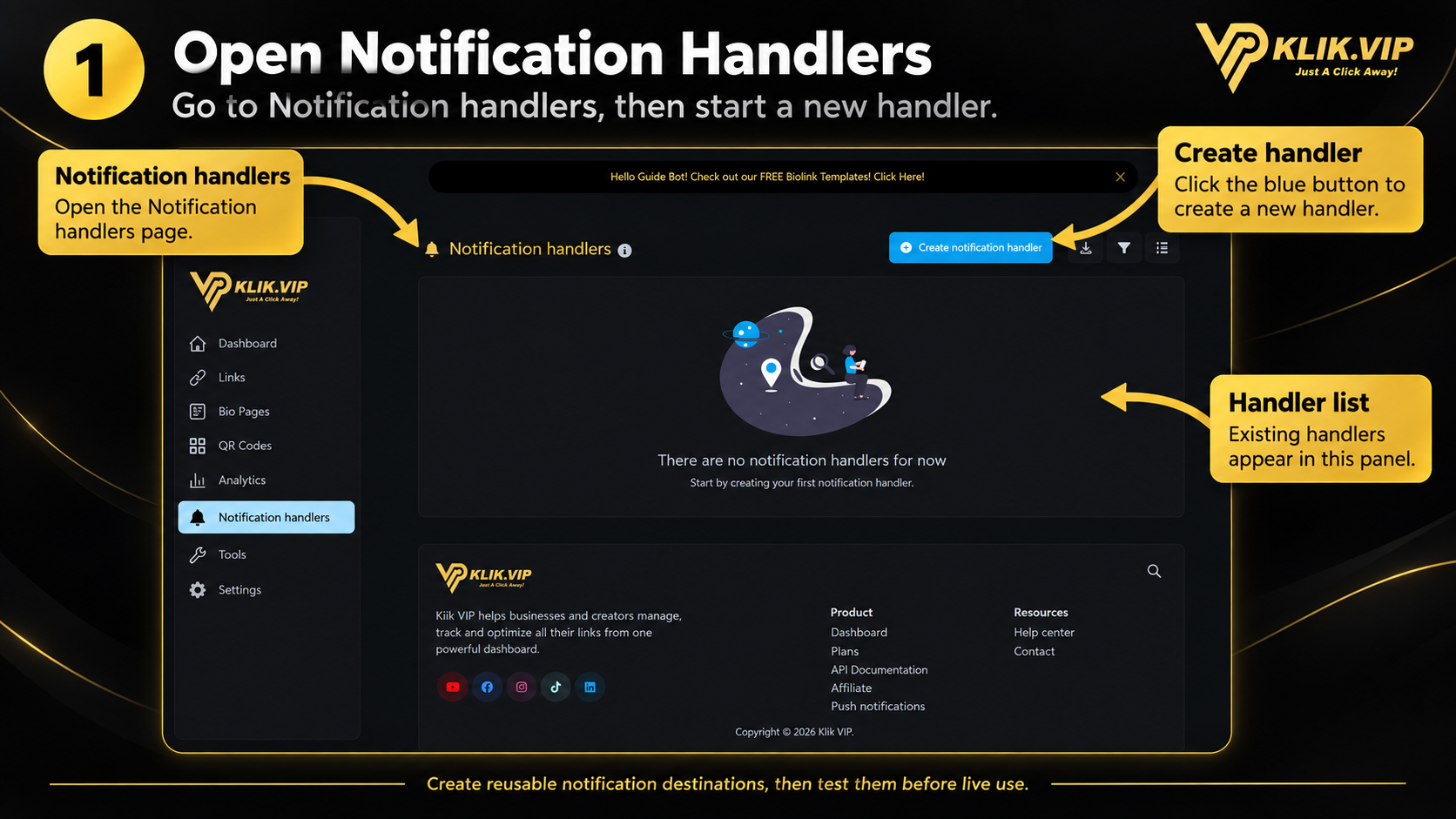
Open Notification handlers from the Klik VIP dashboard. This page shows your existing handlers. Click Create notification handler to add a new one.
2. Name It and Choose a Type
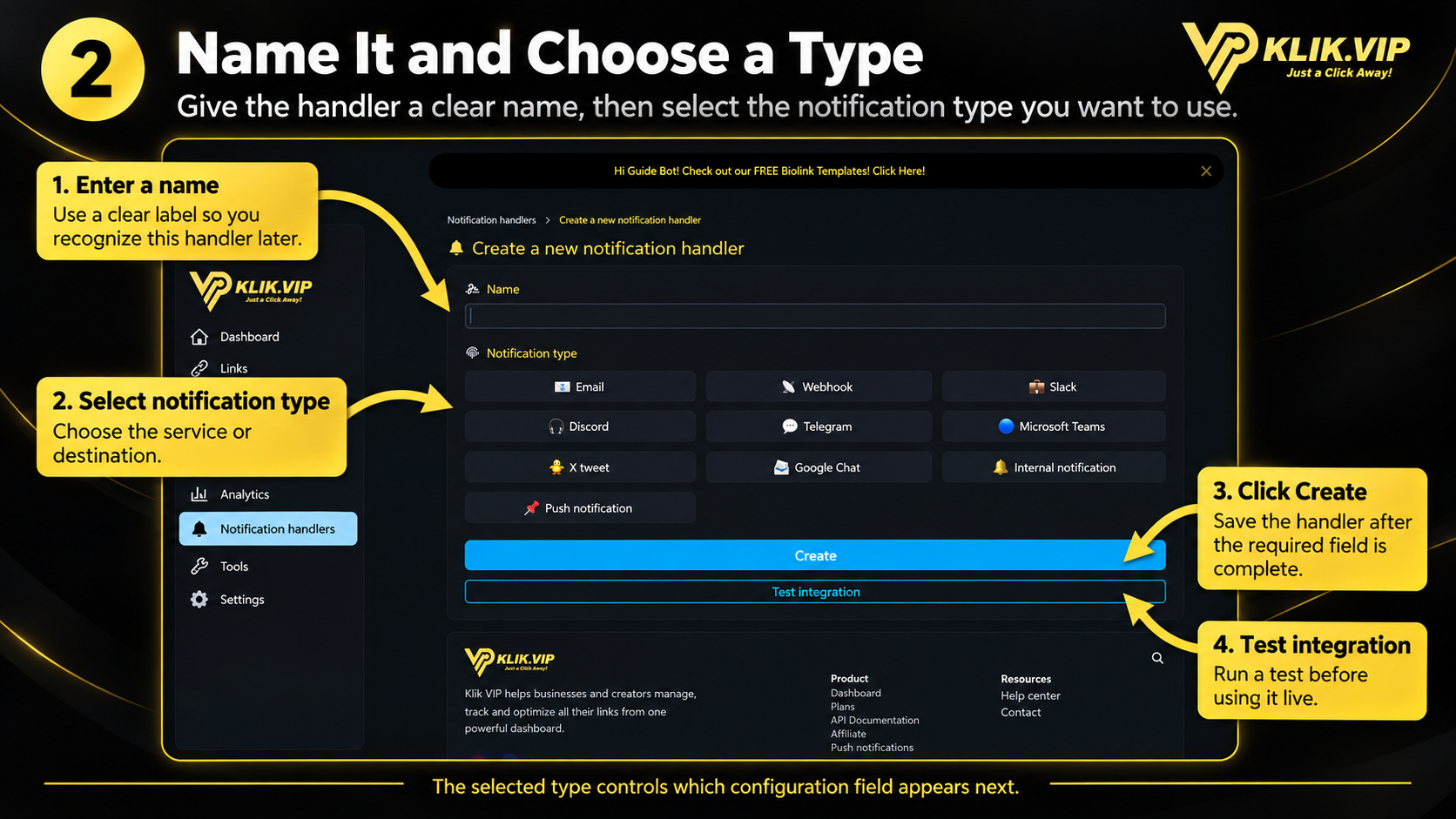
Enter a clear internal name for the handler, then choose the notification destination you want to use. The selected type controls which setup field appears below.
3. Configure the Integration
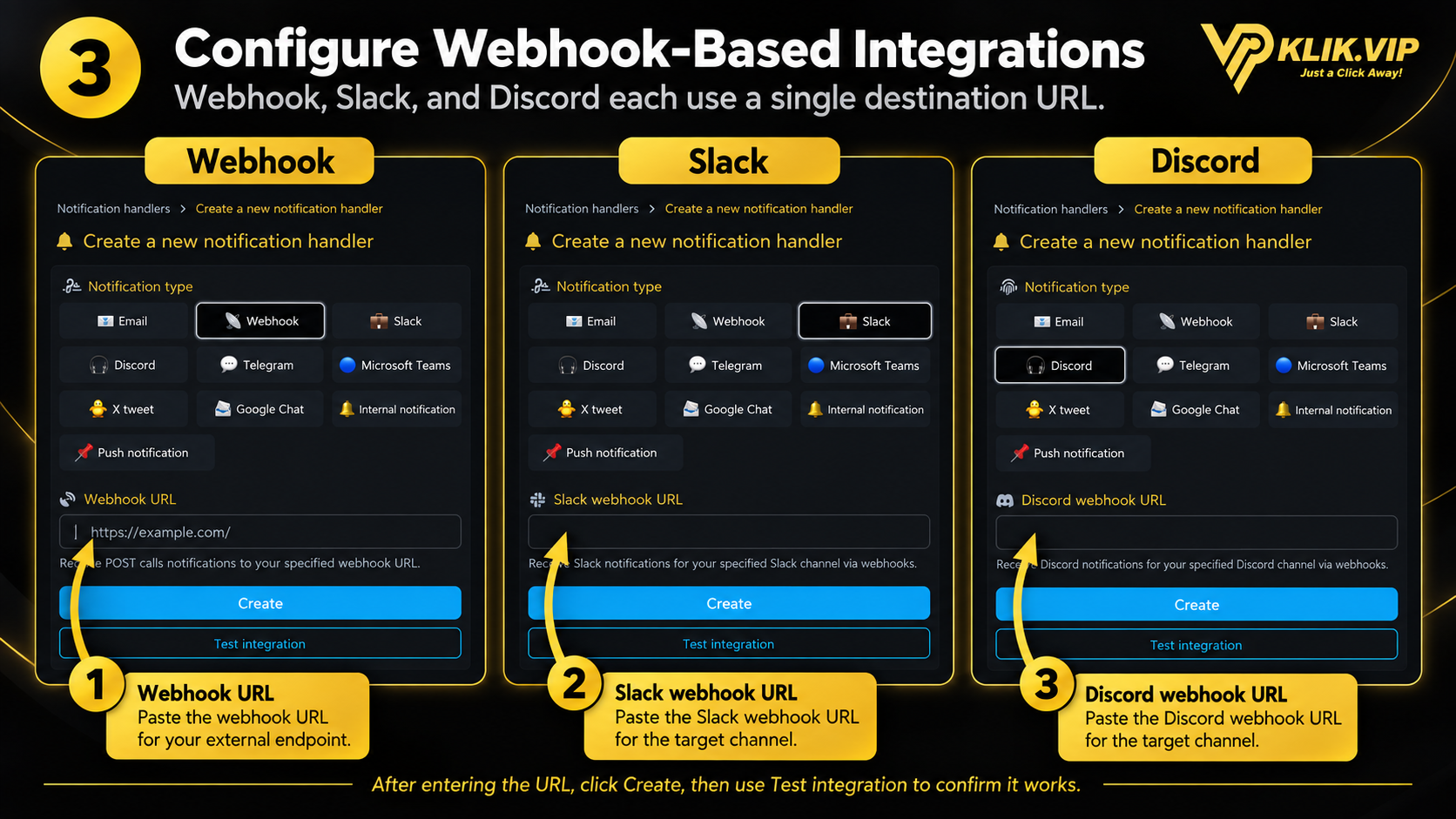
After choosing a notification type, complete the field shown by Klik VIP. For Webhook, paste the destination Webhook URL. Slack and Discord follow the same pattern with their own service-specific webhook URL.
- Webhook — paste the endpoint URL that should receive the POST notification.
- Slack — paste the Slack webhook URL for the destination channel.
- Discord — paste the Discord webhook URL for the destination channel.
Click Create to save the handler, then use Test integration to verify the connection.
4. Configure Telegram
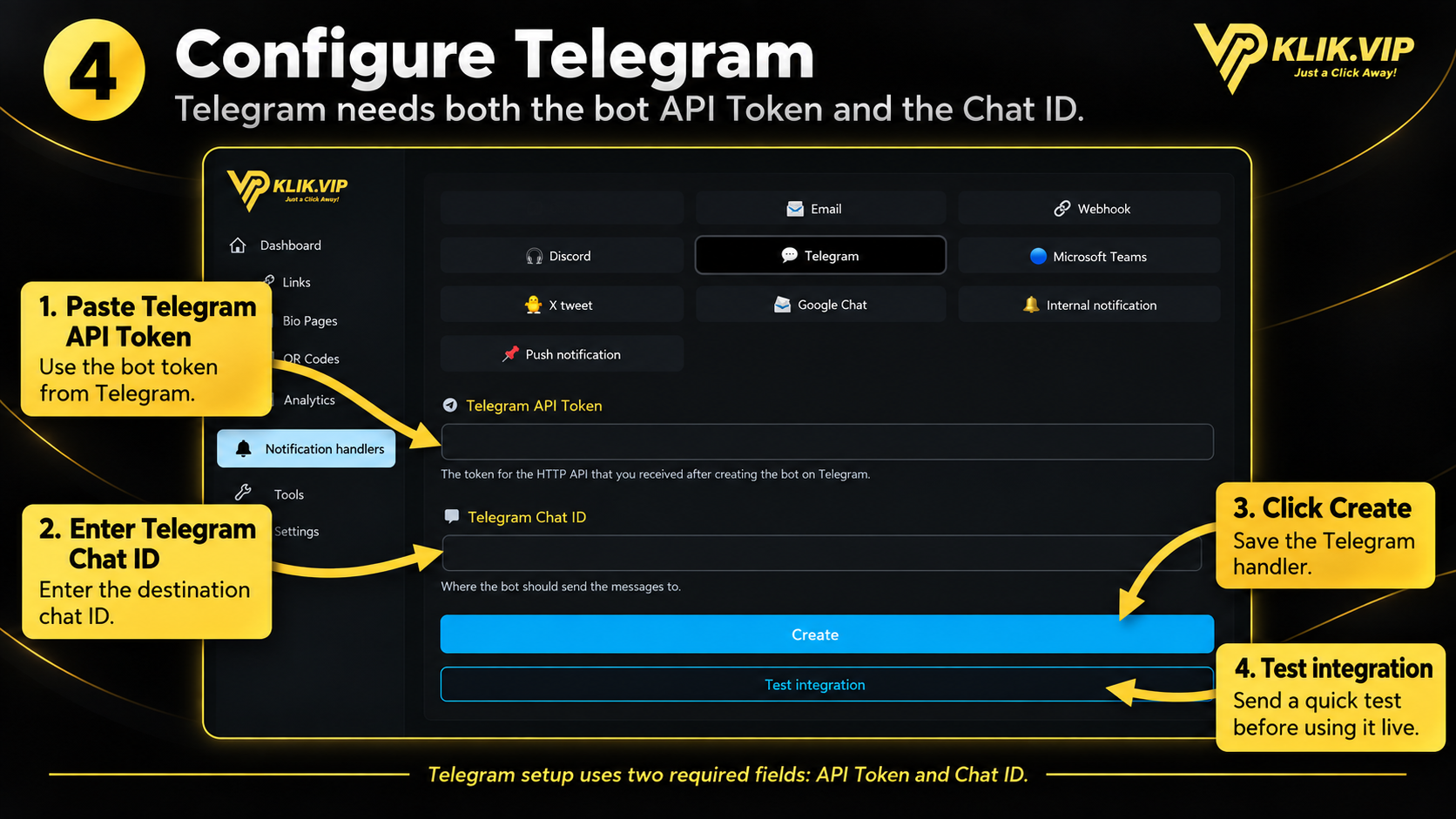
Telegram requires two values:
- Telegram API Token — the token received after creating your Telegram bot.
- Telegram Chat ID — the destination chat where the bot should send messages.
Enter both values, click Create, then run Test integration.
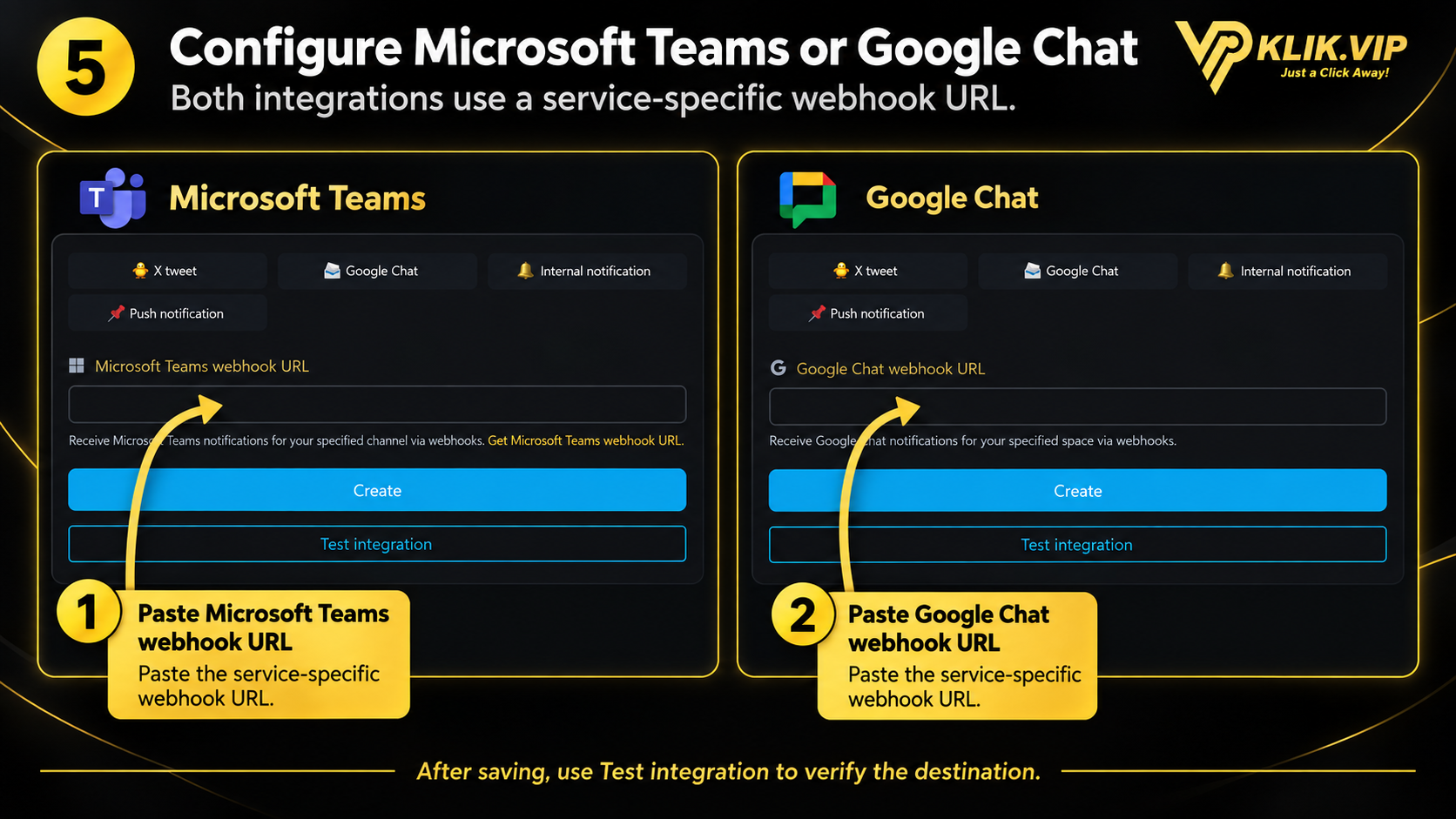
5. Configure Microsoft Teams or Google Chat
Microsoft Teams and Google Chat both use service-specific webhook URLs. Select the correct type, paste the URL supplied by that service, click Create, then verify it with Test integration.
6. Tips & troubleshooting
Best practices
- Use clear names so you can immediately recognize each handler later.
- Always run Test integration before relying on the handler in a live workflow.
- Check that webhook URLs are complete and still active if a test fails.
- For Telegram, verify both the API Token and Chat ID.
- Treat webhook URLs and API tokens as credentials and avoid exposing real values publicly.