Quick summary
Use Redeem code when you have received a valid Klik VIP redemption code. Choose the correct plan, enter the code exactly as provided, review the plan warning, and then submit the redemption.
What is Redeem Code?
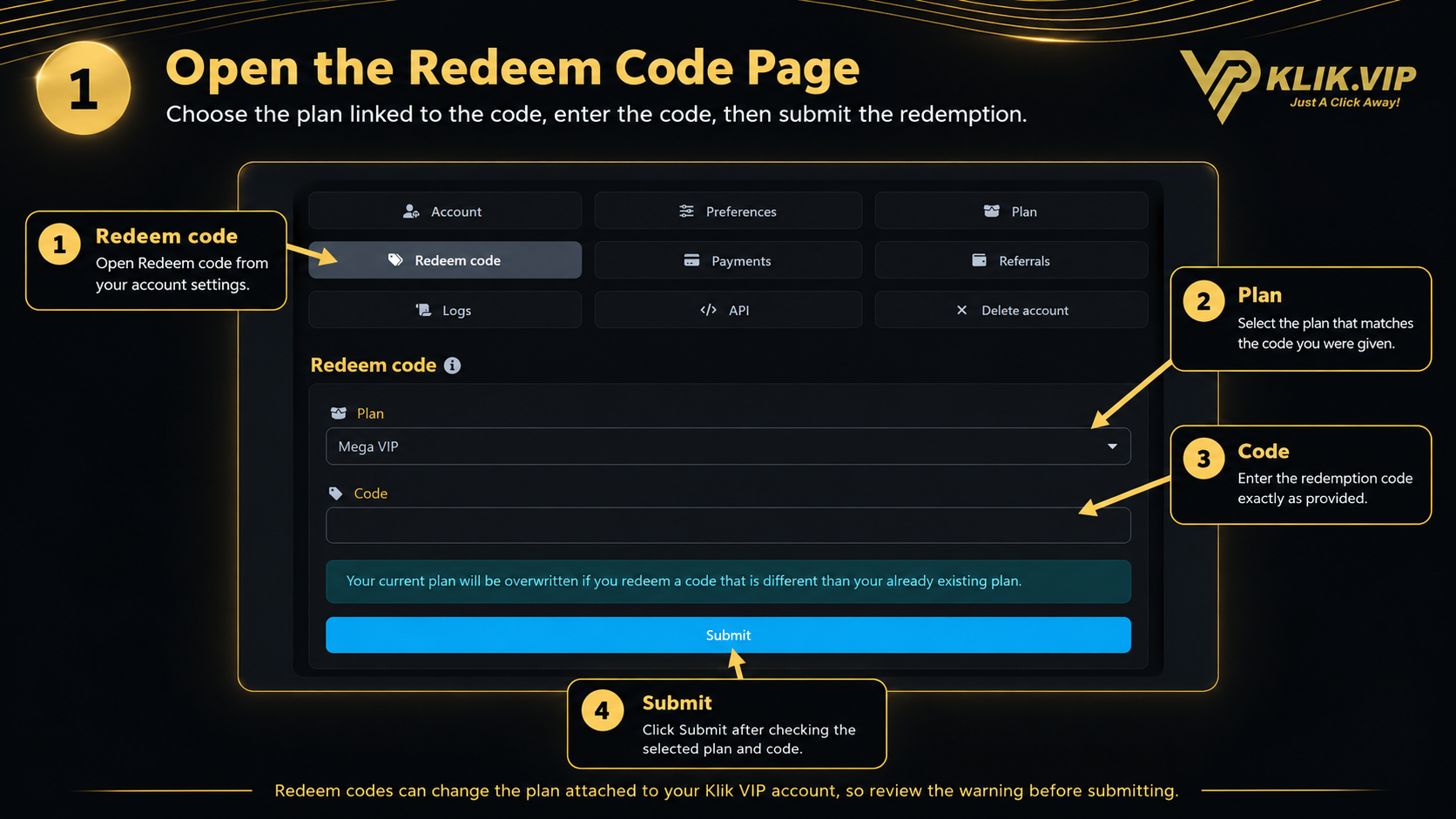
The Redeem code page lets you apply a redemption code to your Klik VIP account.
You can open it directly at:
https://klik.vip/account-redeem-code
Plan
Select the plan that the redemption code is intended for.
Code
Enter the redemption code exactly as it was provided to you.
Plan warning
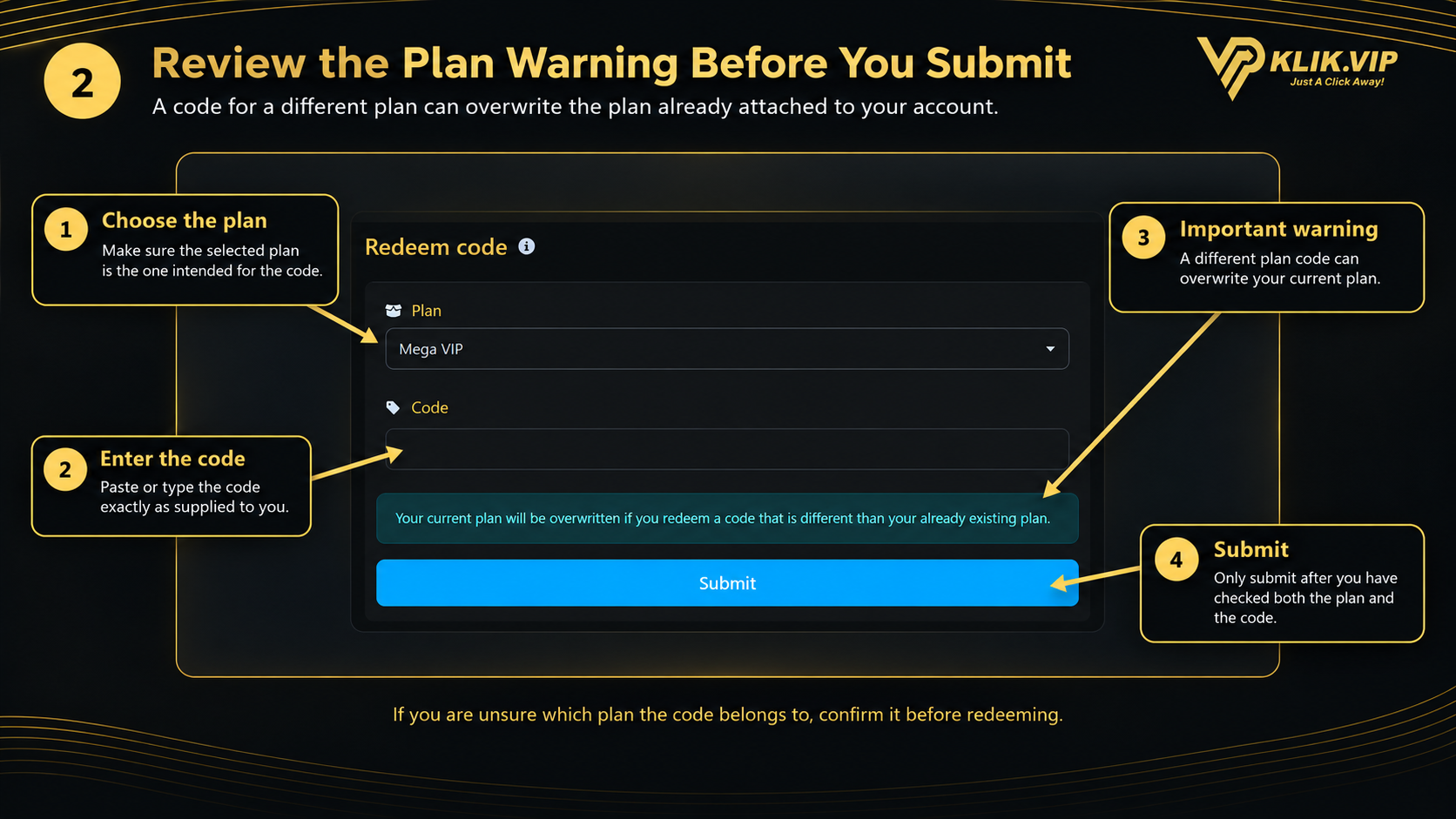
Klik VIP warns you when redemption may replace the plan already attached to your account.
Submit
Submit the redemption only after checking the selected plan and code.
Click or tap the image to view full size.
1. Open Redeem Code
Open Redeem code from your account settings, or go directly to the Redeem Code page using the link above.
2. Choose the Plan
Use the Plan dropdown to select the plan that matches the redemption code you received.
Example: the supplied screenshot shows Mega VIP selected. The plan you should choose depends on the code you were given.
3. Enter the Code
Enter the redemption code into the Code field.
- Use the code exactly as it was provided.
- Avoid adding spaces before or after the code.
- Check the selected plan before submitting.
4. Review the Warning and Submit
Klik VIP displays an important warning on the page:
Your current plan can be overwritten if you redeem a code that is different from the plan already attached to your account.
Before clicking Submit:
- Confirm that the selected plan is correct.
- Confirm that the redemption code is correct.
- Make sure you understand that a different plan code can replace your current plan.
- Click Submit.
Click or tap the image to view full size.
5. Tips Before Redeeming
- Use the redemption code exactly as provided.
- Confirm which Klik VIP plan the code belongs to before submitting.
- Do not guess the plan if you are unsure.
- Read the overwrite warning carefully if your account already has a plan.
- Only submit when both the selected plan and code are correct.
Recommended flow: open Redeem Code → choose the intended plan → enter the code → review the overwrite warning → click Submit.