Before You Cancel
This guide is for cancelling a paid Klik VIP subscription. Cancelling the subscription is different from deleting your Klik VIP account.
1. Open the Plan Page
Go directly to the Plan page: https://klik.vip/account-plan
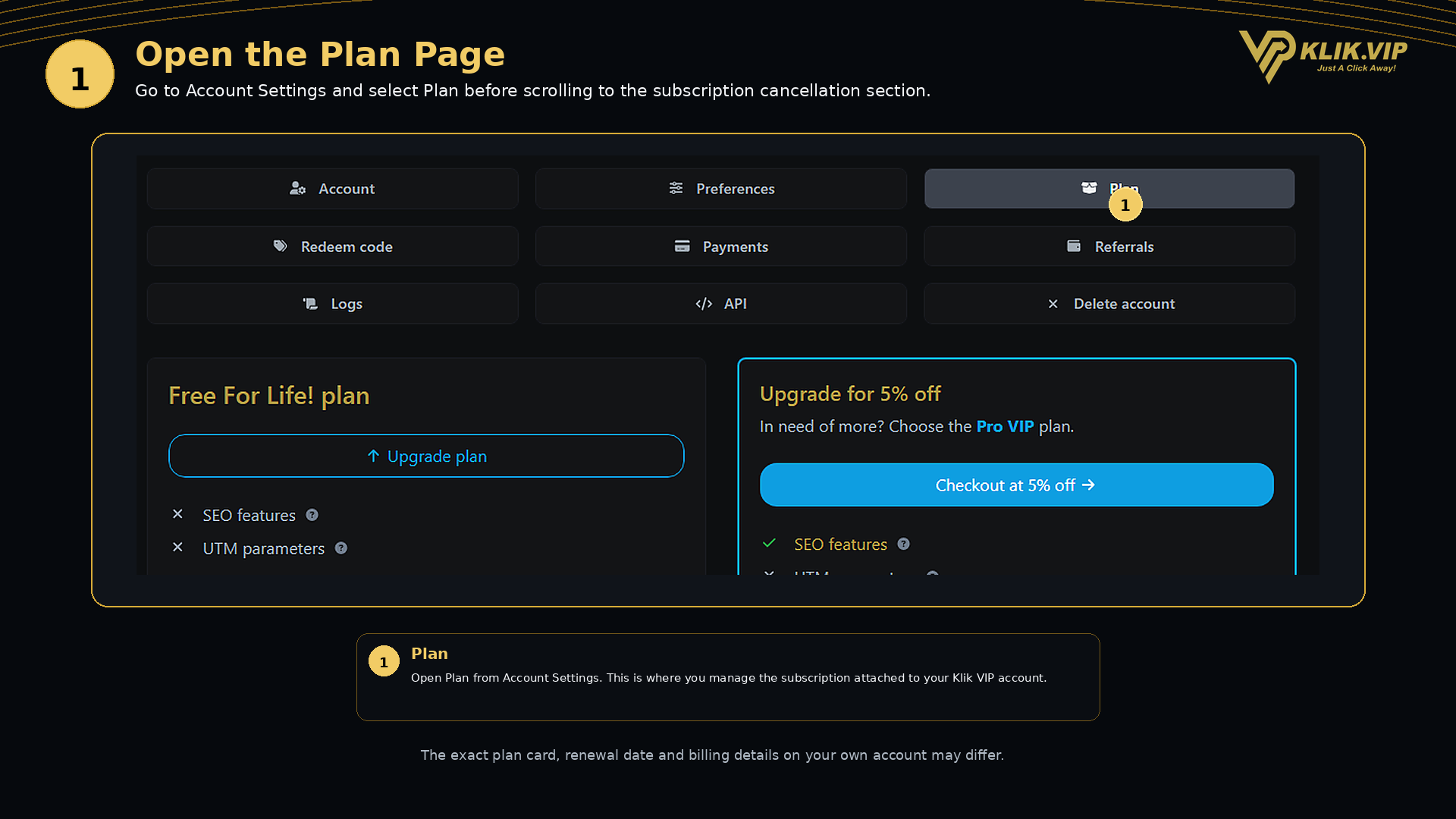
Open your account settings and select Plan.
The Plan page shows the subscription currently attached to your Klik VIP account together with the available plan-management options.
2. Cancel Your Subscription
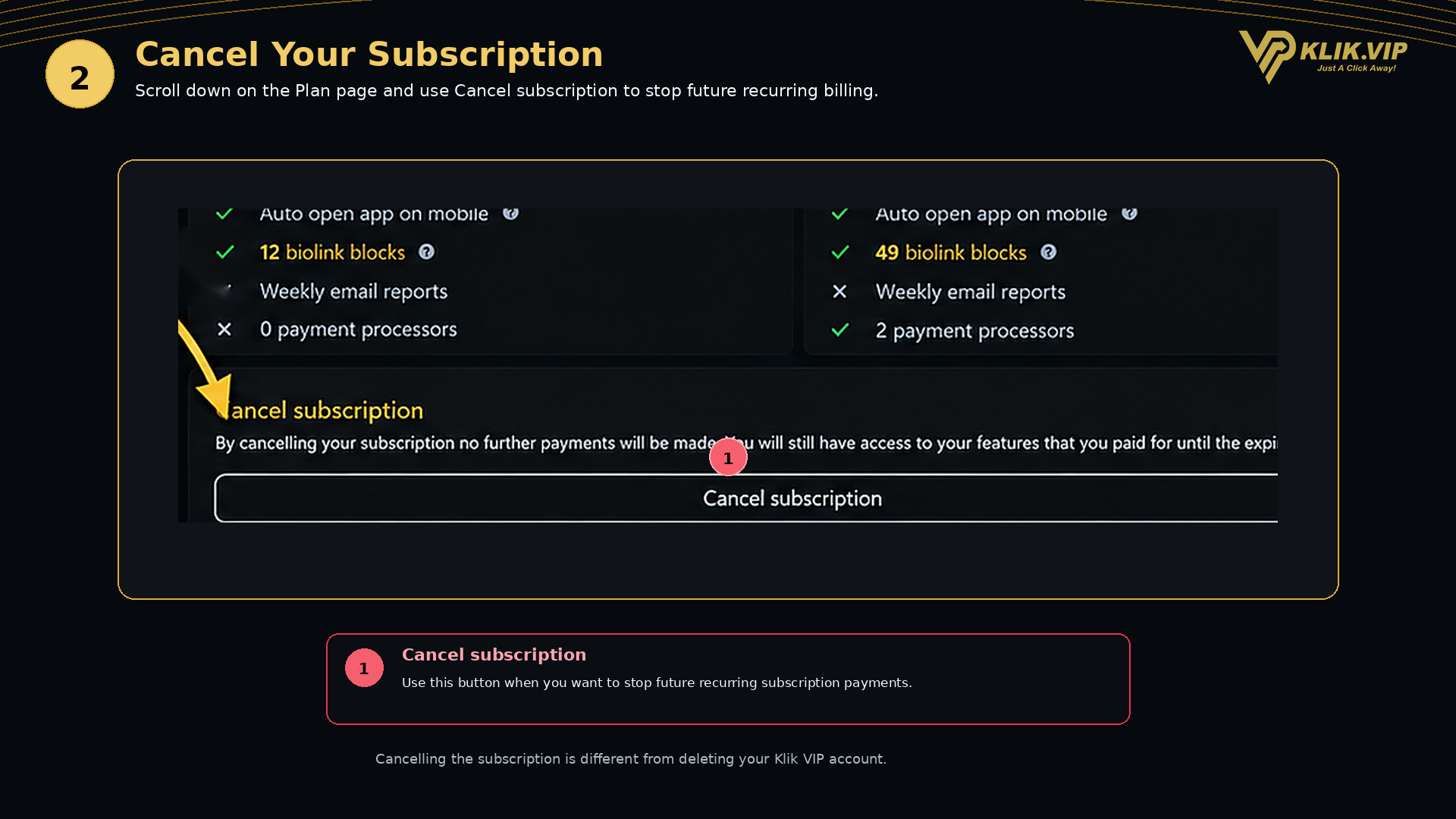
Read the message shown in the cancellation section. When you are ready to stop future recurring subscription payments, use the Cancel subscription button.
What Happens After Cancellation?
The cancellation message shown in the supplied Klik VIP Plan screenshot states that no further subscription payments will be made and that the paid features you already paid for remain available until the subscription expiration date.
For a broader explanation of plan management, see the separate User Guide: How to Manage Your Plan in Klik VIP.